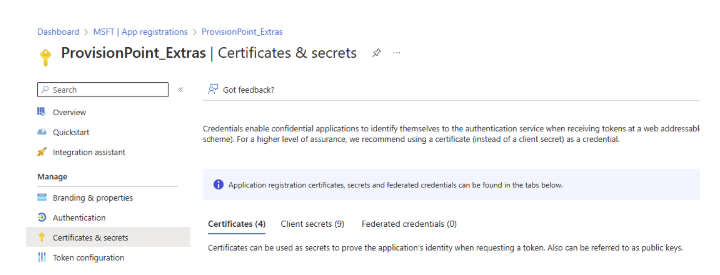
Before the Expiry policy 'Team Channel Activity' can be run, additional permissions must be granted to ProvisionPoint to collect the data.
Add ChannelMessage.Read.All permissions to an App Registration
To add permissions to an app registration, get a global admin to complete the following steps:
- Open Entra Admin Center > App Registrations and find the app to use
- Open the API Permissions page and click + Add a permissions
- Select the Microsoft Graph > Delegated permissions and search for ChannelMessage
- Add ChannelMessage.Read.All
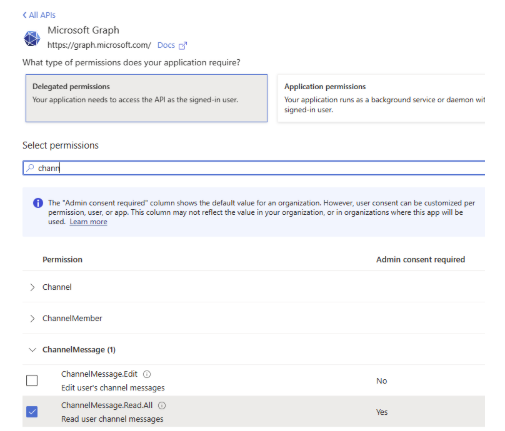
- Repeat this process for Microsoft Graph > Application permissions and search for ChannelMessage.Read.All
- Grant admin consent to the new permission
- Make a note of the app registration's application (client) ID in the overview page
Link the App Registration to ProvisionPoint
- Go to Admin > Settings > AAD App
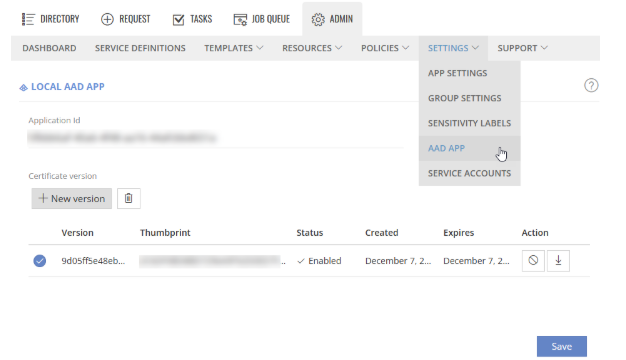
- If an app has not been added already, paste the application (client ID) collected and add to the page
- If a certificate already exists, check this is uploaded to the app registration in Entra.
- If not click +New certificate to create, download it and upload it to the app registration > certificates & secrets