Overview
This guide explains how to configure multiple attachment upload fields in a form using the Repeating Rows feature. This configuration allows users to upload several files that are automatically stored in a selected SharePoint document library.
Each repeating rows column acts as an individual attachment control linked to a document library.
This approach is useful when you want to allow users to upload a fixed number of attachments, each stored in a structured and organized way.
Step 1 – Open Repeating Rows Feature
- Navigate to KWIZ Apps Settings.
- Open the Repeating Rows feature configuration page.
Step 2 – Create the First Attachment Column
Create a new Repeating Rows column and configure it as follows:
|
|
|
|---|
|
|
|
|
|
Select the Document Library where files will be stored
|
|
|
|
Number of rows for new items
|
|
|
|
|
Sub-folder name (optional)
|
Specify a folder name if needed
|
|
|
|
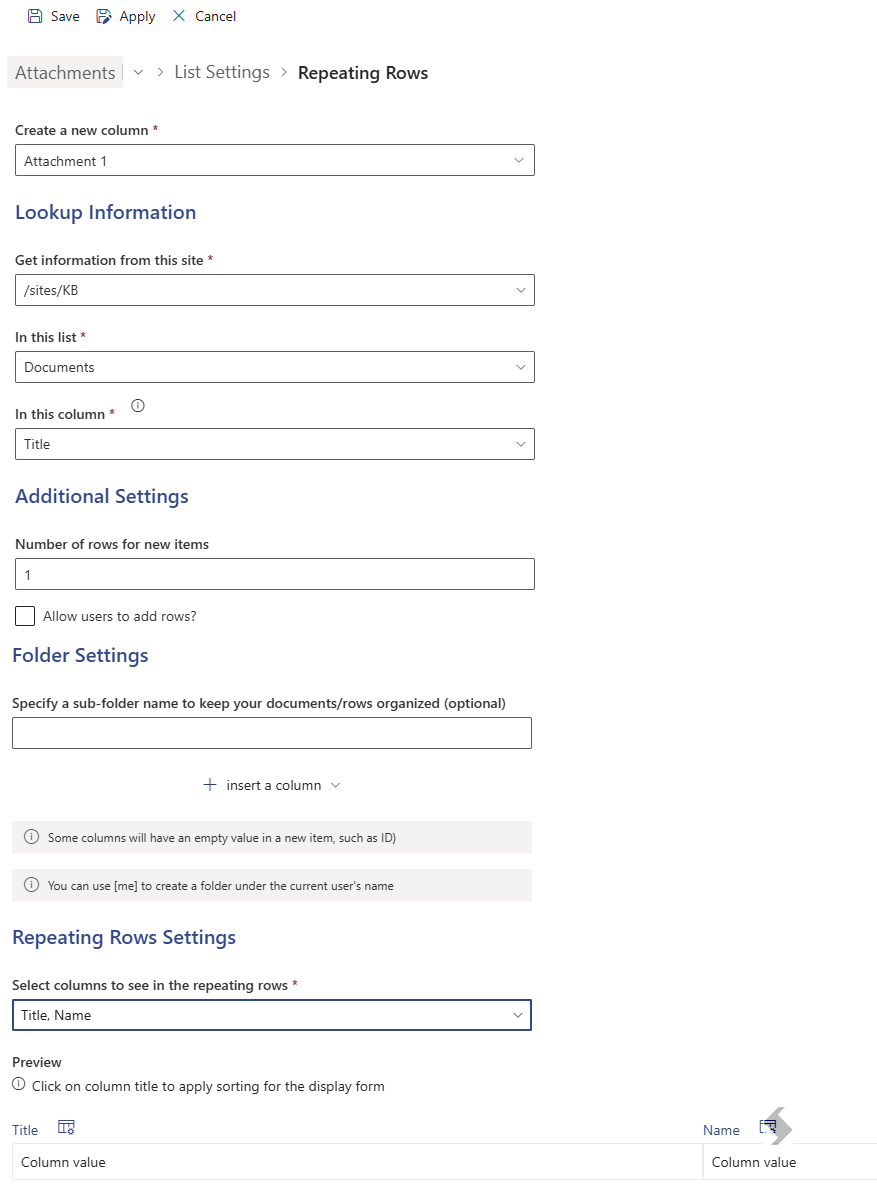
This configuration creates the first file upload control connected to the selected document library.
Step 3 – Create Additional Attachment Columns
Repeat the same configuration steps to create additional columns such as:
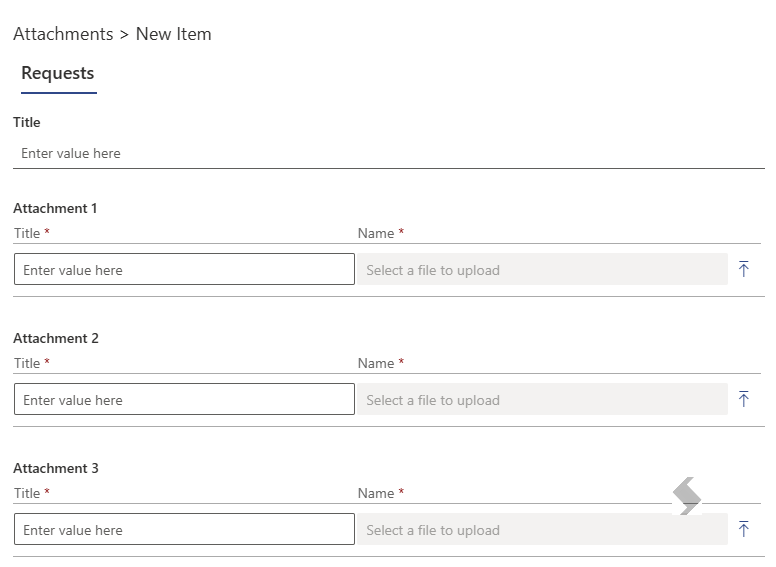
Each column will create a separate file upload control in the form.
Result
After configuration, the form will display multiple attachment upload controls allowing users to upload files directly.
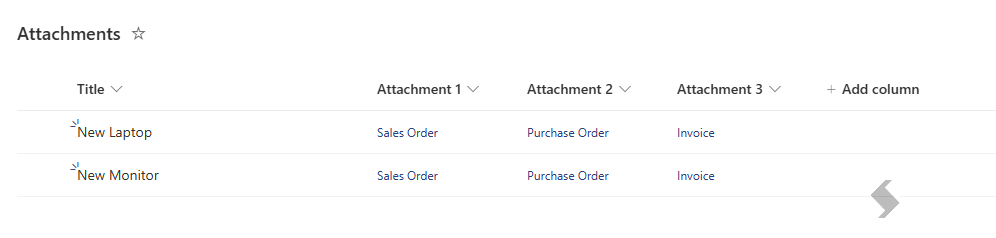
All uploaded files will be stored in the configured document library.
File Naming Behavior
If users upload files with the same name, the system will automatically append a counter to the file name to prevent overwriting existing files.
Example:
Document.pdf Document_1.pdf Document_2.pdf
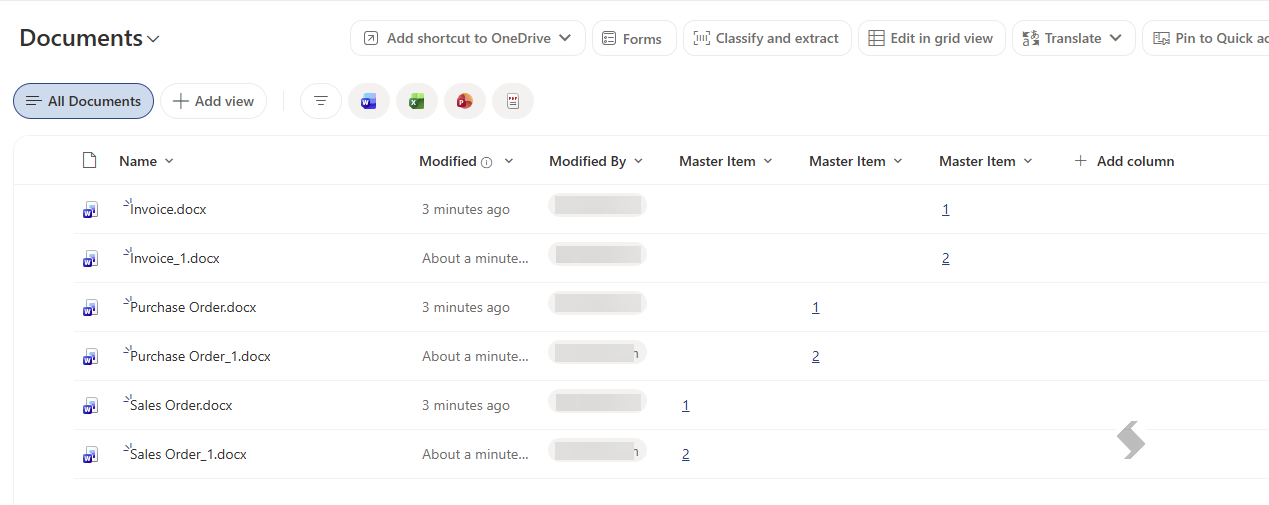
This ensures all uploaded files are preserved and uniquely stored in the document library.
Notes
- The Repeating Rows feature must be enabled before configuring attachment fields.
- Ensure the selected document library exists and has appropriate permissions.
- Using a sub-folder name helps keep uploaded documents organized.
- Disabling Allow users to add rows ensures users can only upload the predefined number of attachments.