Viva Engage Communities are now created and managed using Microsoft Graph, if you have consented before
April 2025, please reconsent the app to ensure ProvisionPoint has the new communities permissions, read
Reconsent the ProvisionPoint article to see how.
Create a Viva Engage Service Definition
- Go to Admin > Service Definitions
- In the Add New Service Definition area give your Service Definition a name
- Click 'Next' to create
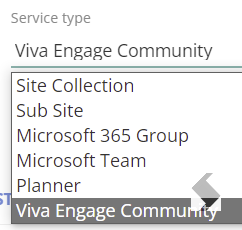
- In 'Overview' set the Service Type to Viva Engage Community
-
Define the remaining details using the options available, these are on the left and include:
|
Tab
|
Description
|
|
Request
|
- Add additional metadata or information relevant to the request (Request Forms)
- Setup naming conventions for the name in Title Formula
- Setup naming conventions for the Group mailbox and Site using URL Settings
- The SiteURL must include a non-numerical character, therefore a URL type of 'System generated' cannot be used.
|
|
Security
|
Define privacy, guest access and external sharing options & Visibility options in the ProvisionPoint Directory
|
|
Labels
|
Apply sensitivity labels to the container for guest access if available in your tenant
|
|
Approval
|
Define an approval for the new requests
|
|
Lists
|
- Create additional Lists or Libraries
- Customise the default Document library (Documents)
- Add Folders
- Sync Content types
- Set the Default Retention Label to the List/Library
- Set the Default Sensitivity Label to the List/Library
- Set Versioning Limits
|
|
Lifecycle
|
Apply an expiry date and automated actions such as archiving, locking, deleting, change retention labels
|
|
Group Settings
|
Define settings about the group mailbox and email notifications
|
|
Actions
|
Define what changes can be made and who has permission to make them
|
|
Compliance
|
Setup scheduled checks on the workspace to
- ensure naming conventions are maintained
- Ensure Security settings are maintained (Privacy)
- Check for Activity or Inactivity
|
|
|
|
- Click Save
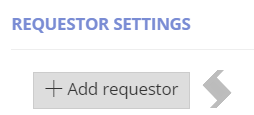
- Set the Service Definition to 'Active' and assign who can make the Requests (Overview)
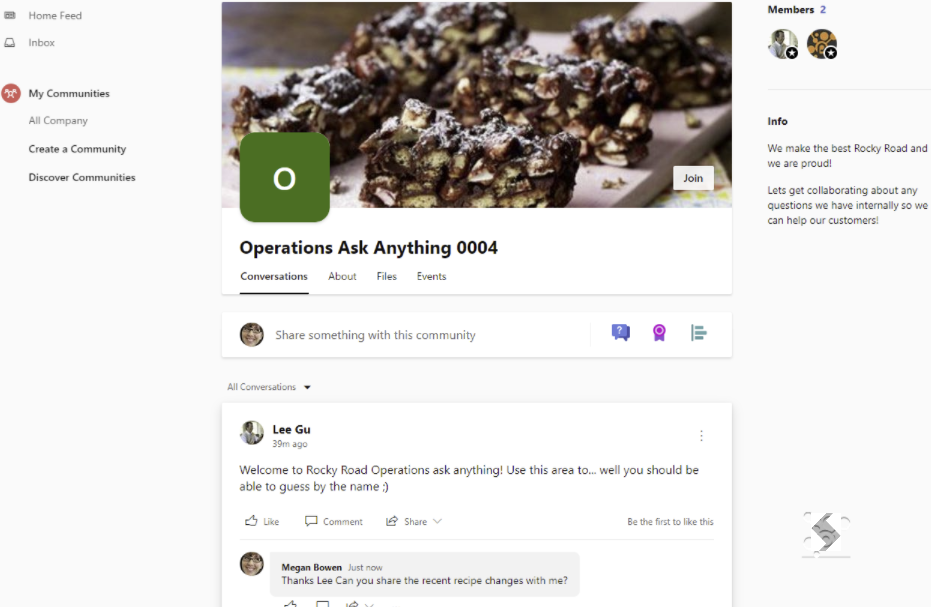
Now your users or admins can easily create communities in their tenant.
More than one Service definition can be created for your variety of requirements.
Best Practices
- Naming your Viva Engage Community must be unique so always check your ProvisionPoint Directory to see if another Community already exists
- URL naming must have at least one non-numeric character
Previously a Yammer client application was required, this is no longer supported by Microsoft, we now fully use the Microsoft Graph for all Community actions.