Create a SharePoint Site
There are many types of SharePoint Sites (Site Collections) that can be created, from classic to modern. Microsoft only allows some to be created by Admins. Using ProvisionPoint you can create any type of Site Collection you need or import your existing items for management in ProvisionPoint.
Below is a list of the Service Types for SharePoint:
- Microsoft 365 Group or Modern Team Site (Group Connected)
- Site Collection
- Team Site (no Group)
- Communication Site
- Team Site (classic experience)
- Document Center
- In-Place Hold Policy Center
- Developer Site
- eDiscovery Center
- Records Center
- Teams Site - SharePoint Online configuration
- Compliance Policy Center
- Enterprise Search Center
- Publishing Portal
- My Site Host
- Enterprise Wiki
- Project Site
- Community Site
- Community Portal
- Basic Search Centre
- Sub Site
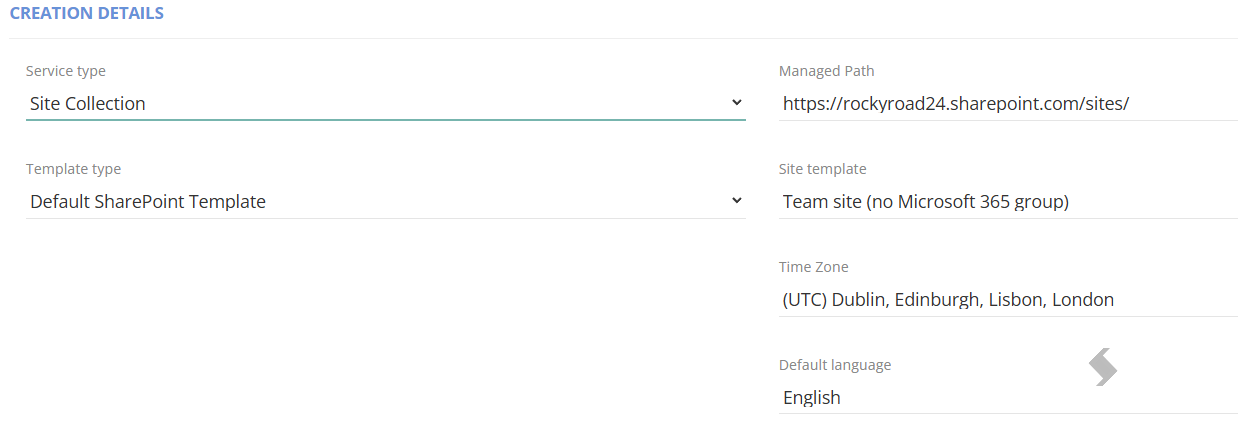
For Site Collections you will have additional setup in the Overview Tab including:
- Managed Path - /Sites or /teams
- Time Zone
- Default Language
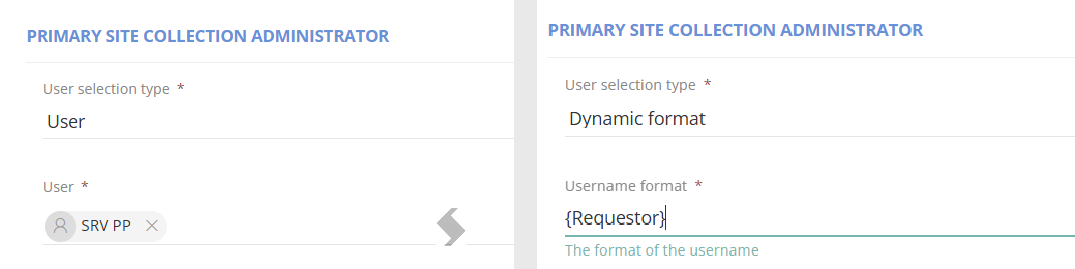
- Site Collection Administrator
This can be either a set user that will be the same on each request, or dynamically assigned using tags.
The tags include {Requestor} or any people picker Columns added on the Request, for example {Business Owner}
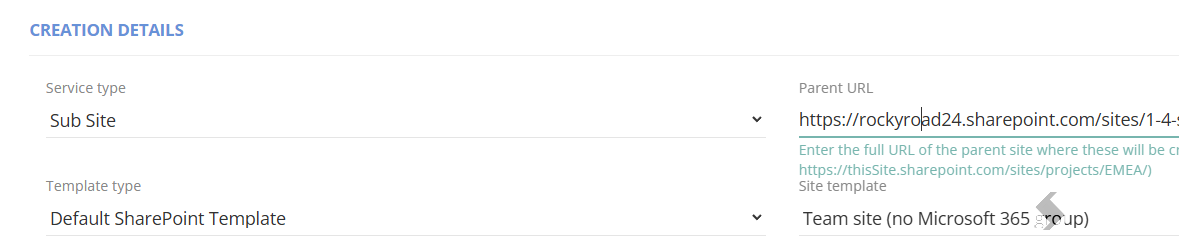
For Sub Sites you will need to provide the following
- Parent URL - This will make up the URL of the Sub Site.
- The other setup will be inherited from the Parent Site
These must all be set to save the Service Definition and successfully create the Sites.