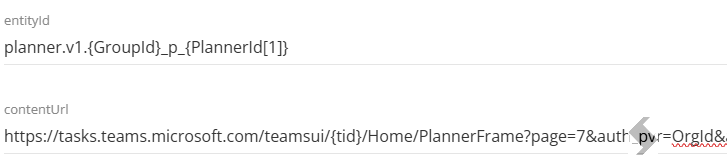
Microsoft do not support adding configured Planner tabs to Teams, the setup we provide is subject to failure if Microsoft make changes to the Tab configuration options.
Configure the built-in tab types in Microsoft Teams - Microsoft Graph | Microsoft Learn

The Planner was not added
Causes
- The Planner has not been configured in ProvisionPoint
- The Tab configuration is incorrect
Resolutions
- Check the Planner tab in the Service Definition
- If there are none there is nothing to add. Add a Planner setup, click Done and ensure the Service Definition is saved
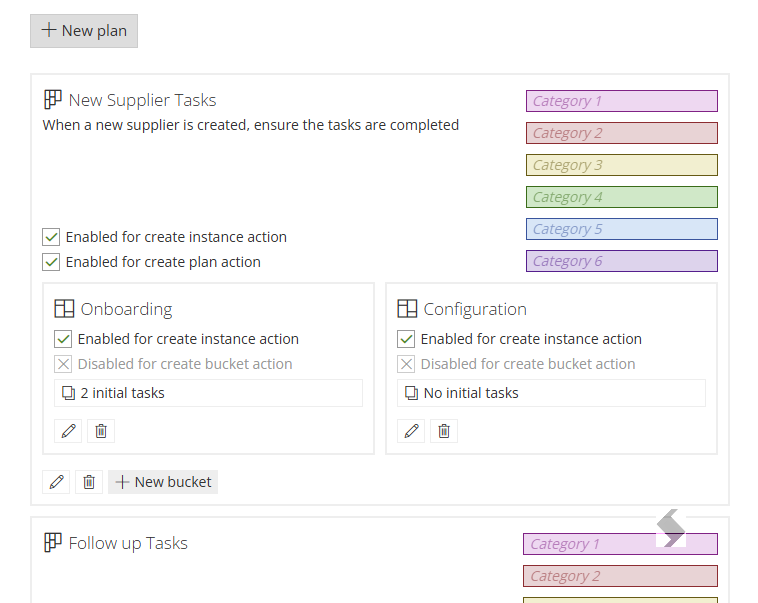
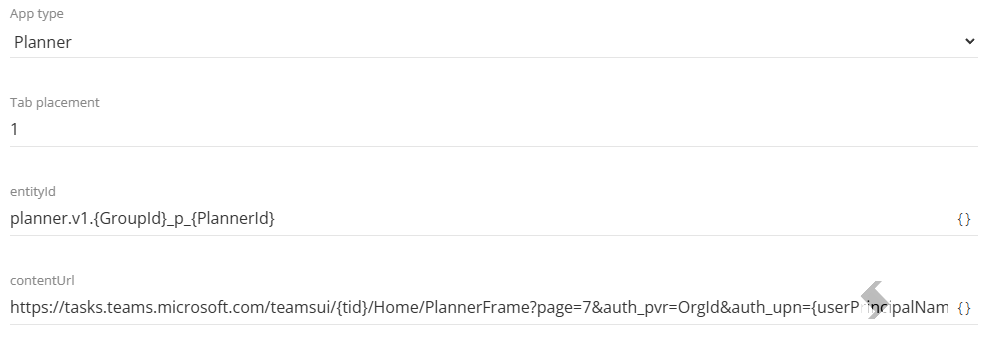
- Check you are using the latest setup in {} in the tab configuration
To view or edit this subscription, including a task in it, you must ask a member to add you to the membership list of this subscription
Causes
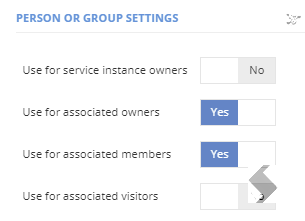
The requestor or person opening the Planner is not a member of the Team.
If ProvisionPoint uses custom columns to define Owners and Members, the setup may not be applying the correct permissions
Resolutions
Check the Form Columns to ensure that any Owner or Member columns have the 'Use for associated members' set to Yes
The Wrong Planner is Displayed
Causes
The Tab configuration in ProvisionPoint has not been updated to choose the alternative Planner
Resolutions
- Check there are multiple Planners saved
- Check the tab setup for each Planner
- To add the first Planner the tag {PlannerId} should be used
- To add the second planner the tag {PlannerId[1]} should be used in entityId and contentUrl