Please review the Product Roadmap to see future Releases: Product Roadmap | SnapOn Software | Software That Clicks
Below is a list of the new feature and maintenance releases.
Version 1.9 Security Hardening Maintenance
Release Date: 21st June 2026
Reconsent is not required
In this maintenance release, we have resolved the following issues:
Expand to see the maintenance fixes
Security Fixes
- 13578 — Resolved a cross-site request forgery (CSRF) vulnerability.
- 13581 — Fixed a potential Denial of Service vulnerability.
- 13580 — Improved tenant access controls.
Stability Fixes
- 13654 - Resource not found error during provisioning, resolved for:
-
- Setting the group classification
- Updating the group display name and description
- Updating group privacy and other group settings
- Applying sensitivity labels
- Adding owners
- Adding members
- Adding group settings
- Uploading the group logo
- 12319 — Planner & OneNote tab configuration update.
-
- Planner: When using the {} option in contenturl and entityId now add values that will create a planner.
- OneNote: Only creates the default notebook, this is now achieve by Microsoft. {} no longer add any values allowing additional OneNote tab that requires configuration.
- 13627 — Duplicate entries no longer appear in "Directory > Sites I Manage" after submitting a request where the default owner is also added as an owner on the request form.
References: 13580, 13578, 13581, 12319, 13627, 13654
Patch 2026-Q2-1-BugFixes
Release Date: 23rd May 2026
Reconsent is not required
This release focuses on stability improvements and resolving key issues identified during recent usage and testing cycles.
Expand to see the Fixes in this release
This release focuses on stability improvements and resolving key issues identified during recent usage and testing cycles.
In this maintenance release, we have resolved the following issues:
- Resource Not Found error at multiple stages of provisioning
- Due to Microsoft changes we have increased our retry logic to ensure that when adding members and setting permissions we are not longer showing this error
- Private Channel creation with Members defined in a form field, were failing with error: 'Role has a range of values which does not include '0''
- This only impacted customer with Group operations for Service Account enabled
- To ensure the permissions are applied as needed, ensure any Owner columns have the following permissions when associating to the Form:
- Service Instance Owners = ProvisionPoint Owner
- Associated Owner = Owner in Microsoft (for some this is not required if they are restricting permissions for Owners)
- Associated Member = Grants member permissions, if not set the owners will not be added to the private/shared channels
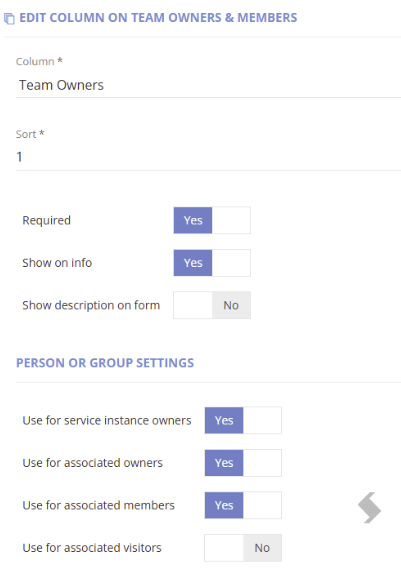
- To ensure the permissions are applied as needed, ensure any Member columns have the following permissions
- Associated Member = Grants member permissions
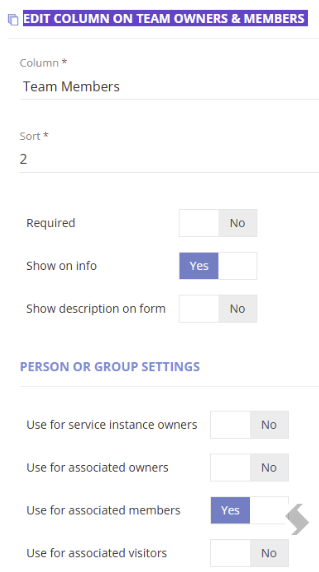
References: 13495, 13633
Version 1.8 Lifecycle Retention Actions
Release Date: 9th May 2026
Reconsent is required
Expand to see the new Features in this release
We are exited to announce new Actions that can be used on any workspace managed by ProvisionPoint and as part of Lifecycle Policies.
The new Actions should improve management of Data governance, retention and more archive options.
Change Default Retention Label Action
The 'Change Default Retention Label action' gives additional flexibility to change the default Retention label manually or automatically via a lifecycle policy stage.
As with all Actions you can define approval, notifications, permissions and post webhooks
Expand to see the Change Default Retention Label Details
Change Retention via Manual Action
As a manual action, the action MUST be enabled with appropriate permissions and will allow the requestor to choose:
- The Retention label to be used (only available labels can be selected)
- Apply to all Lists/libraries or selected ones
- Apply the label to any existing documents
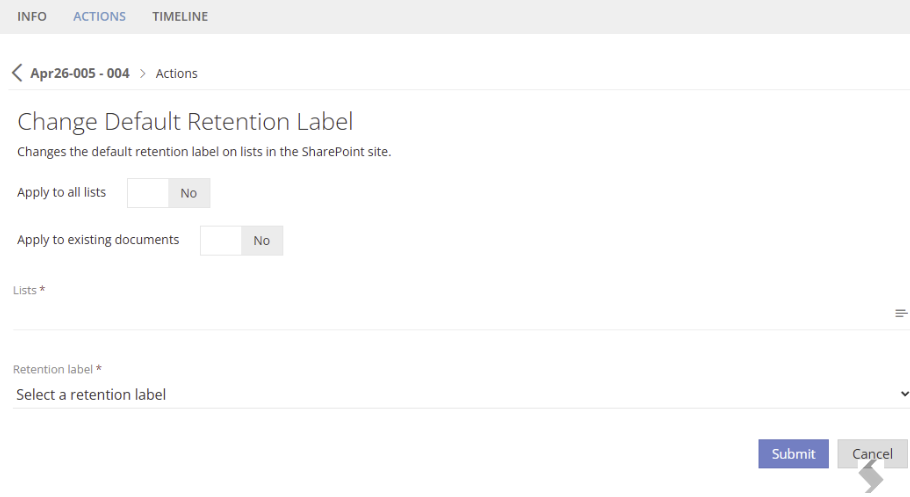
The Timeline will record the settings applied and which lists/libraries were updated
Change Retention via Lifecycle Action
Via a Lifecycle Policy the action can be added to Stages with a static setup. This can be added to its own stage or accompany other lifecycle actions.
- Type the name of the Retention Label to be applied (if this is not available on the Site the request will fail)
- Choose to Apply to All Lists or to specific Lists
- Choose to Apply to existing documents (There will be a delay before this is visible in Microsoft, this is a Microsoft design)
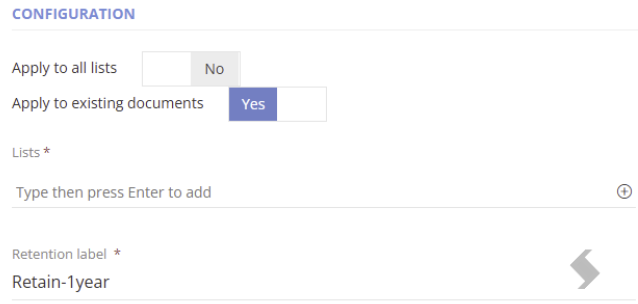
You can define a notifications:
- Reminders before the stage is run via the Lifecycle Policy stage mapping page
- On successful completion of the stage via the Stage setup.
- Select the system default or create your own custom notification template for notification template
- On failure via the Service Definition > Notification > Error email address field
The Lifecycle Tab will show your stages and when they are due to run. Admins can view all Lifecycle Stages via the Job Queue > Lifecycle tab
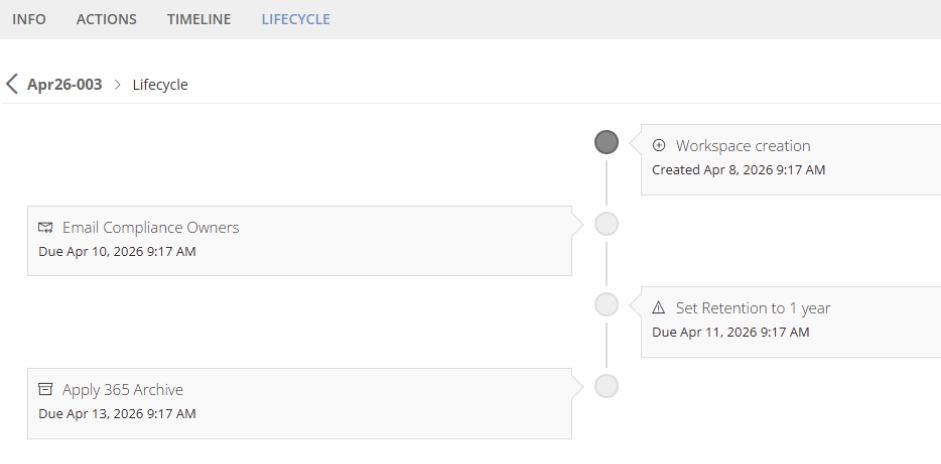
Once it has run it will also show the update on the Timeline as it did for the manual action, however it will have been run by the ProvisionPoint Bot.
View the results in SharePoint
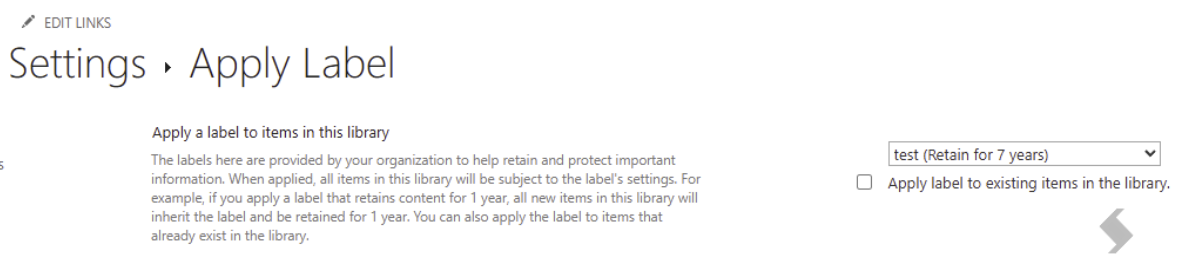
The Retention label will be set as the default of the lists, any new items will be assigned the Label. To view this:
- Add the Retention label and Retention label Applied columns to view to ensure the correct labelling is applied
- Go to Library or Lists Settings > More Library/List Settings > Apply label to items in this list or library
This will also allow you to see which Retention labels are available on the Site. If using Dynamic scopes or static scopes that define which sites will see the labels, there can be delays of up to 2 days before that label is available
Move to M365 Archive Action (Reconsent is Required!)
Additional permissions are required to use the M365 Archive Actions, please ask your Global Admin to complete the reconsent process found here The Additional Permissions are: Sites.Archive.All (application)
The Move to M365 Archive will allow the Archive of the Site
Archiving SharePoint Sites
- Storage Management: When a site is archived, it stops consuming active storage quota and instead counts towards Microsoft 365 Archive storage. This helps organizations manage their storage costs effectively.
- Compliance and Searchability: Archived sites retain compliance features such as eDiscovery and retention labels. Although users cannot access archived sites, administrators can still search through the archived data using Microsoft Purview-based search.
- Reactivation: Archived sites can be reactivated if needed.
Expand to see more details about M365 Archive
Microsoft 365 Archive must have a Pay as you go subscription setup to allow the feature to work, details about the setup and costing can be found here:
Once Configured in the tenant, the Action can be used manually or via a Lifecycle Policy to automate the process.
Apply M365 Archive via Manual Action
As a manual action, the action MUST be enabled with appropriate permissions and will allow the requestor to Submit the request.
As with all Actions you can define approvals, notifications, permissions and post webhooks
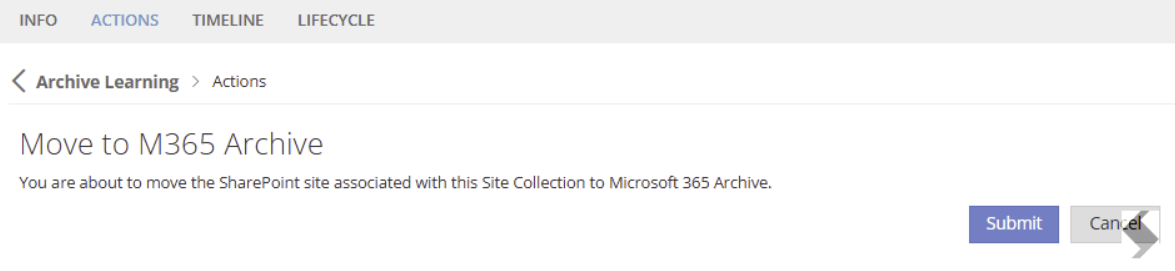
This can only be submitted once!
Apply M365 Archive via Lifecycle Policy
Via a Lifecycle Policy the action can be added to Stages with no additional configuration. This can be added to its own stage or accompany other lifecycle actions.
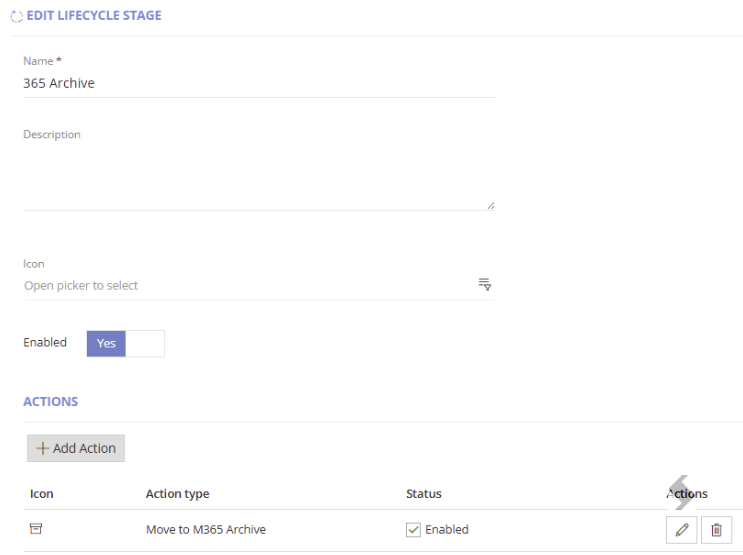
You can define a notifications:
- Reminders before the stage is run via the Lifecycle Policy stage mapping page
- On successful completion of the stage via the Stage setup. Select he system default or create your own custom notification template for notification template
- .On failure via the Service Definition > Notification > Error email address field
The Lifecycle Tab will show your stages and when they are due to run. Admins can view all Lifecycle Stages via the Job Queue > Lifecycle tab
Once it has run it will also show the update on the Timeline as it did for the manual action, however it will have been run by the ProvisionPoint Bot.
View the results in ProvisionPoint & SharePoint
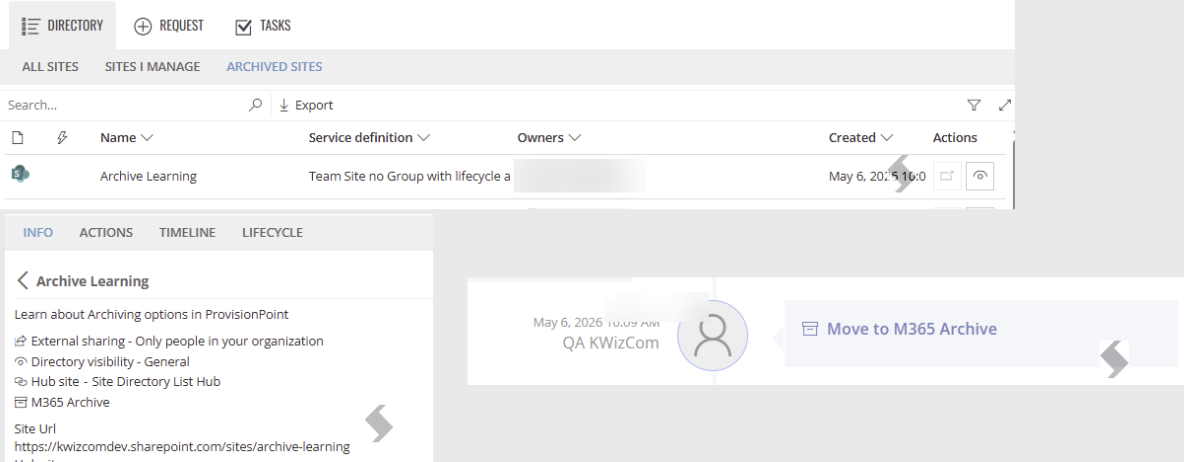
ProvisionPoint:
- The Timeline will record the Action name, who ran it and when
- The Info page will show a status of M365 Archived & the Site Url will no longer be a hyperlink
- The Site will be moved to the 'Archived Sites' view & the Open button will be disabled
- Actions will be restricted, the actions that will be available are:
- Sync Directory
- Change the Lease, Reapply Lease
- Set Expiry Rule State
- Delete Workspace & Delete from the Directory
- Change Directory Visibility
- If the Site is Group connected the Group Owners & Members can be updated but this will not impact the Site
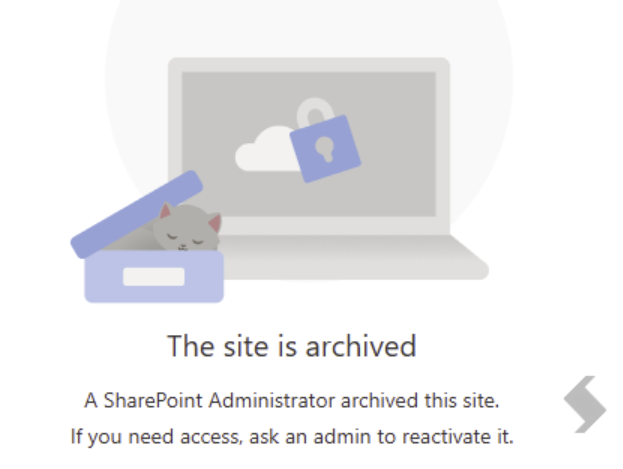
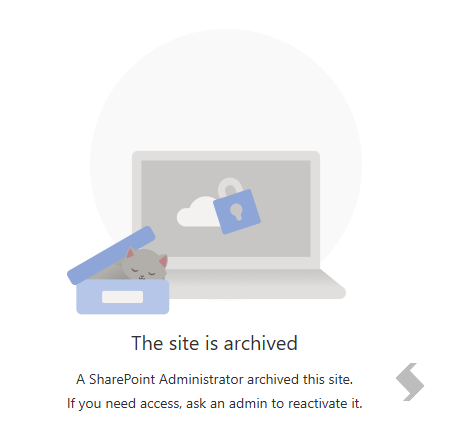
SharePoint:
If the Site is opened it will display as Archived
Send Notification Action (Lifecycle Policy Only)
A new lifecycle Action has been added allowing you to create a Custom Notification template and choose the day it is sent via a Lifecycle Stage.
Expand to learn more about the Lifecycle Action to Send an Email
This is a separate email to the reminders that can be sent in advance. This allows you to:
- Provide additional instructions on set days
- Provide links to Actions that can be selected (Keep or archive)
- Write notifications in a language of your choice
All you need is a notification template, then create a Lifecycle Stage, add the template in the Send Notification configuration and define who will receive the email (Owners, Admins, etc)
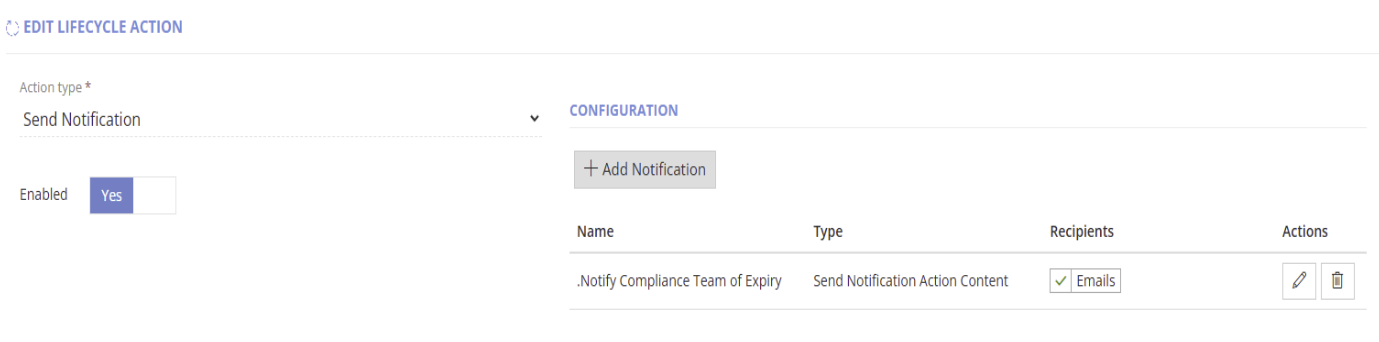
Finally use the stage in your lifecycle Policy and define when the email should be sent
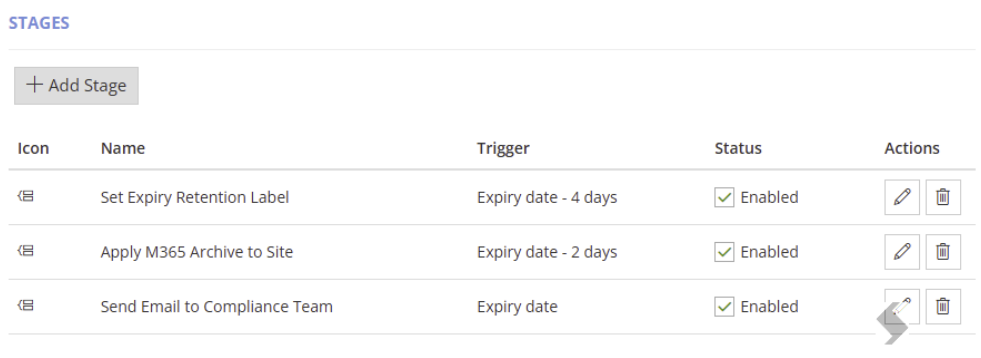
The Timeline will show you when the Email has been sent, the recipients and the name of the Notification Template.
Fixes
- 13592 - Webhook conversion causing failures on multiple requests resolved
- 13611 - Service Account token refresh is now automatic if the service account is used within the 90 day window
- 13616 - Resource not Found error on creation - Changes made in Microsoft are impacting the graph calls, we have increased the retries we do to prevent the failures
Patch 2026-Q1-4-BugFixes
Release Date: 21st March 2026
Reconsent is not required
This release focuses on stability improvements and resolving key issues identified during recent usage and testing cycles.
Expand to see what was fixed
In this maintenance release, we have resolved the following issues:
- Compliance checks for tenants with large numbers of guest users were intermittently failing with "Data was not collected" errors during InactiveGuests rule execution. This has been resolved.
- Team creation in ProvisionPoint could occasionally fail on the first attempt, requiring users to manually retry. Improved handling has been added to automatically retry transient failures without requiring manual intervention.
- Users were intermittently failing to be added to private channels immediately after team provisioning, with a "User Not Found" error. This was most likely to affect the last user in a provisioning batch. This has been resolved with improved synchronization handling.
References: 13512, 13513, 13514.
Patch 2026-Q1-2-BugFixes
Release Date: 21st February 2026
Reconsent is not required
This release focuses on stability improvements and resolving key issues identified during recent usage and testing cycles.
Expand to see what was fixed
In this maintenance release, we have resolved the following issues:
- Unable to register existing SharePoint Hub Sites in ProvisionPoint when importing into the application.
- Custom Service Type error appearing for users that are not assigned an App Manager role.
- Service Type field was reverting to a Site Collection after saving a Service Definition, although still provisioning the expected Service Type.
- Some users were experiencing errors when trying to delete a workspace - Error: NotFound: Failed to execute Templates backend request.
References: 13053, 13055, 13337, 13340.
Version 1.7 Custom Service Types
Release Date: 25th January 2026
Reconsent is not required
We are excited to introduce Custom Service Types, a powerful new feature that extends ProvisionPoint's provisioning capabilities beyond it's existing M365 workspaces.
Custom Service Types
Custom Service Types allow you to provision and manage virtually any type of resource through ProvisionPoint using webhook integrations.
While ProvisionPoint has traditionally supported Teams, Site Collections, M365 Groups and other Microsoft workspaces, you can now create custom service types to provision any resource required, by triggering one of the following (as an example):
- A Cloud Flow
- An Azure Function
- A PowerShell script
Expand to learn more ...
Key Features
- Configurable response handling - choose how ProvisionPoint handles webhook responses by selecting either Wait for acknowledgement or Wait for response.
- Rich provisioning context - webhooks receive comprehensive provisioning data including custom service type configuration, service definition details, resolved request variables and transform tags, Owners and Members and request form data.
- Seamless Director integration - custom service type instances appear in your ProvisionPoint directory with custom icons for easy identification, instance URL's for direct access and full timeline tracking of provisioning activities.
How it works
App Managers in ProvisionPoint are able to configure Custom Service Types under Admin > Templates > Custom Service Types.
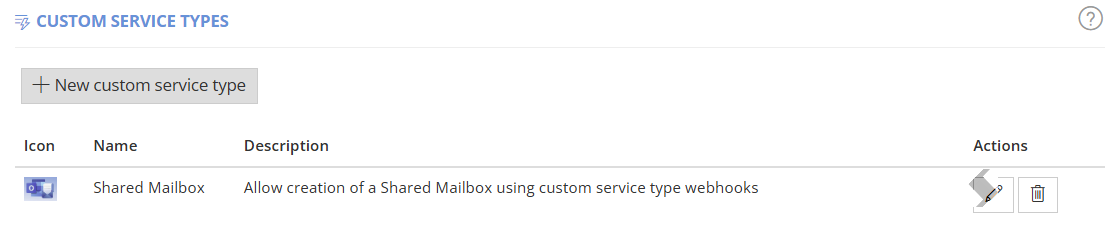
These can be configured with descriptive names and icons, as well as with the webhook URL for your endpoint, and set your response handling unit.
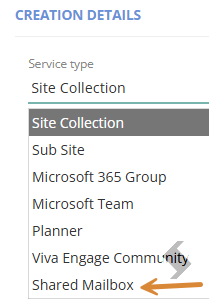
Once configured, this will appear on the Service Type dropdown on the Service Definition form.
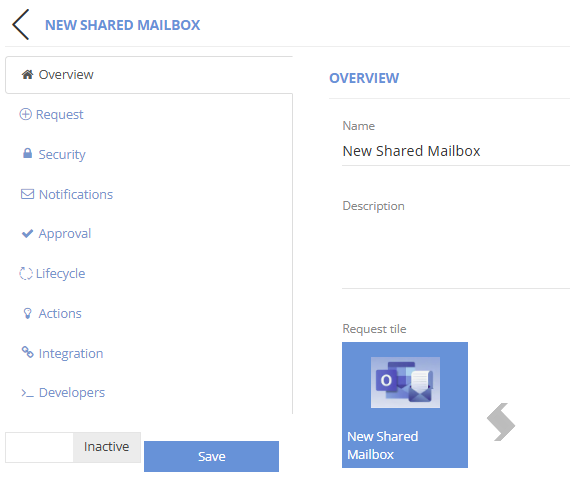
When a Custom Service Type is select, the M365 related settings and actions are not displayed within the Service Definition. However, request forms and approval workflows can be configured as normal.
Fixes
- 12492 - Null owners displayed in Directory view12131
- 12170 - Request Tile 'File system' upload for icons restored
- 12131 - Compliance Check export no longer limited to first 20 results