Patch 2026-Q2-1-BugFixes - 10th June 2026
Reconsent is not required for this release
Expand to see latest features and fixes
This release focuses on stability improvements and resolving key issues identified during recent usage and testing cycles.
In this maintenance release, we have resolved the following issues:
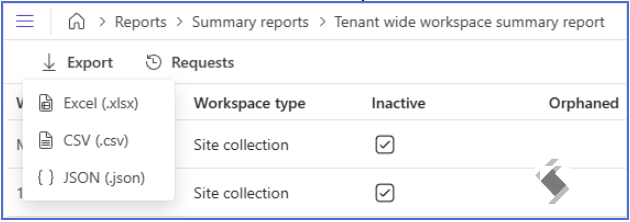
- When Export to csv cell limit is reached an error will now be displayed - previously it would fail to export.
- New Export options to JSON and XLSX which support larger cell limits. Excel may truncate the cell
- Cell limit is often reached for Owners fields with many owners added

References: 13635
Version 1.11 - Workspace Summary, Batch & File Reports - 11th December 2026
Reconsent is not required for this release
Expand to see latest features and fixes
Workspace Summary Report
We are introducing two new reports into a new reporting section within Audit - Summary reports. These can be run either tenant wide or filtered down by owner.
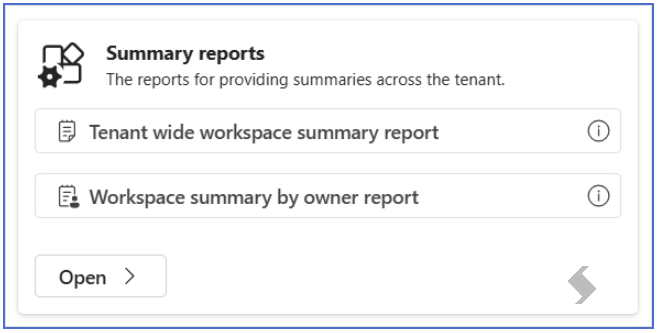

These reports will provide a summary and general overview of the workspaces, and will include the following information:
- Workspace name
- Workspace type - if this is a Team, Site Collection or OneDrive
- Inactive - a tick will show is there has been no recent activity
- Orphaned - a tick will show if there are no Owners, or if all Owners are disabled or unlicensed
- Owners
- Last modified date
- Total size
- % of quote being used
File Size Report
We also have a new reports section for File size reports, allowing you to run a the File size in tenant report.
This report also includes a filter if you want to report on files with more than a specific amount of versions, or larger than a specified size.
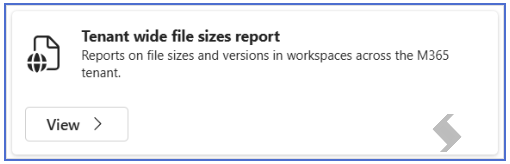
The report will include the following information:
- File name
- Folder path
- Library
- Workspace name
- Versions
- Size of file
- Total size including versions
- Last modified date
Filtering and reporting on a batch of workspaces
Lastly, this release is also introducing the ability to report on a batch of workspaces, whereas we previously only reported on certain scopes (Tenant Wide, Specific Workspace, Owner).
For the majority of tenant wide reports you will see the toggle to apply a filter under Report criteria.
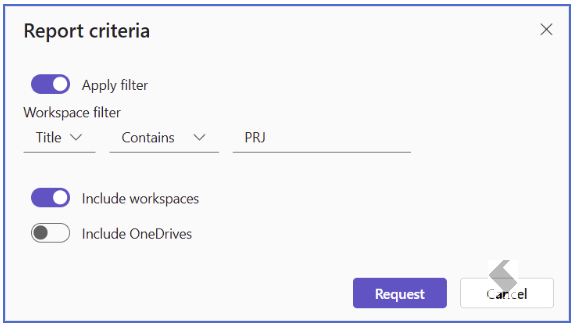
The workspace filter will allow you to filter by the following:
- The owner's domain - all workspaces where the owner has a specific domain in their UPN
- Workspace Name/URL which contains, equals, starts or ends with a certain value
2026-Q1-1 Maintenance Release - 5th February 2026
Reconsent is not required for this release
Expand here to see new features & fixes
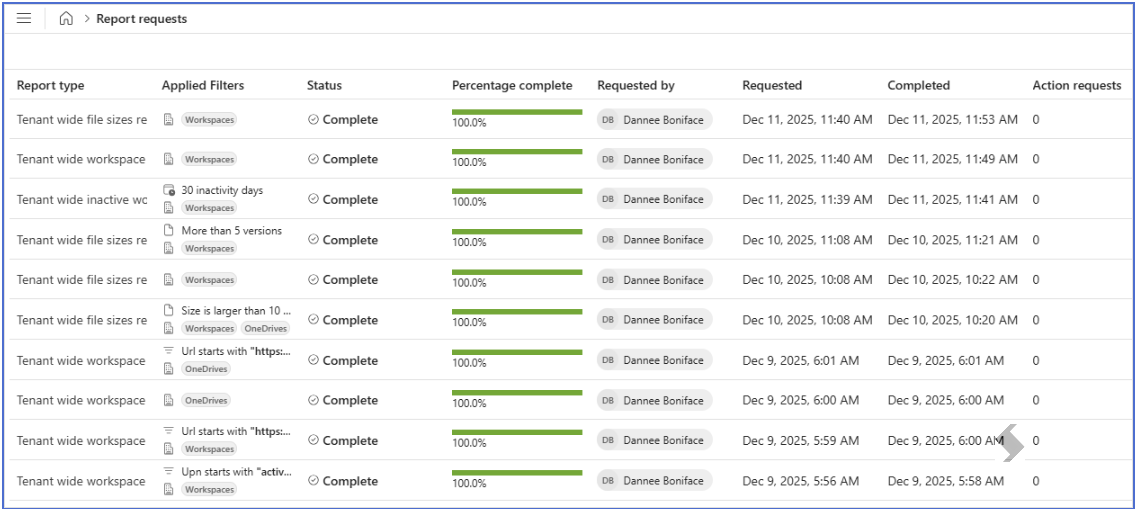
Enhanced Report Requests Visibility
The Report Requests page now displays all applied filters and report parameters directly on the page, making it easier to identify and distinguish between different reports at a glance.
Maintenance
- Implemented fault tolerance and resiliency pipeline for Microsoft Graph API and SharePoint calls to ensure more stable and reliable data retrieval operations.
- Resolved an issue where workspace search functionality would freeze or crash when used with extensive data sets.
- Fixed missing translations across various locales to ensure a consistent experience for international users.
- The file size report now accurately includes and displays the total space consumed by list item attachments, providing a more complete view of storage utilisation.
This release focuses on improving user experience through better visibility, enhanced stability, and more accurate reporting across your M365 tenant auditing operations.
References: 12488, 12489, 13054, 12496