Overview
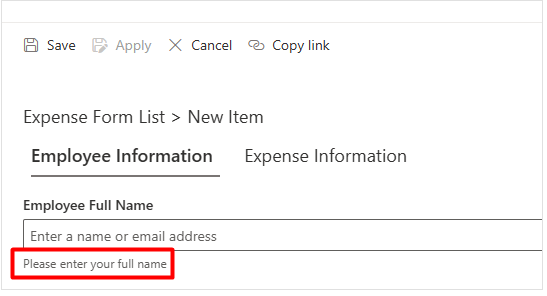
In SharePoint, the field description is displayed by default under the field input box rather than under the field label.
This article explains how to change the position of the field description so it appears directly under the field label instead of under the field itself.
Step 1: Add a Field Description to the Column
Expand to see how to add a field description in SharePoint
Step 2: Change the Position of the Field Description
- After adding the description to the column, accessing the Style Editor. Open one of the list items in view/edit form.
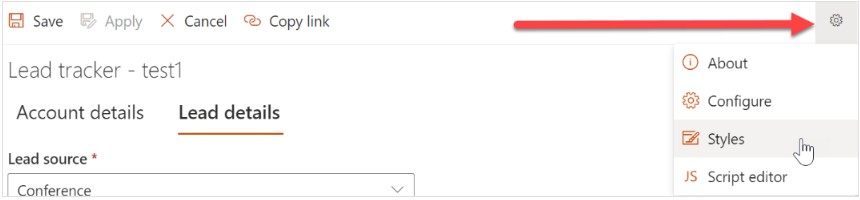
- Click the gear icon on the top-right side of the form and select Styles.
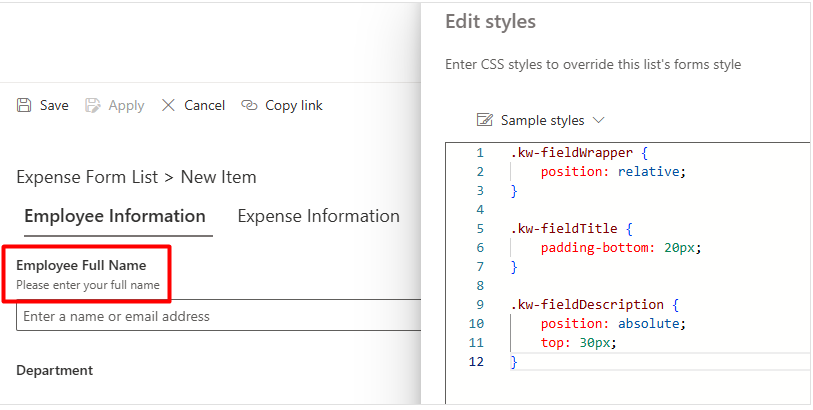
- Add the following CSS code in the Styles section:
.kw-fieldWrapper {
    position: relative;
}

.kw-fieldTitle {
    padding-bottom: 20px;
}

.kw-fieldDescription {
    position: absolute;
    top: 30px;
}
Result
Once the CSS code is added:
- The Field Description will appear directly under the Field Label.
- The change is applied automatically to both: New Item forms and Edit Item forms