Follow this article if you want to add a logo and company information to your modern form using CSS. This technique can enhance the visual appeal of your forms and improve brand recognition.
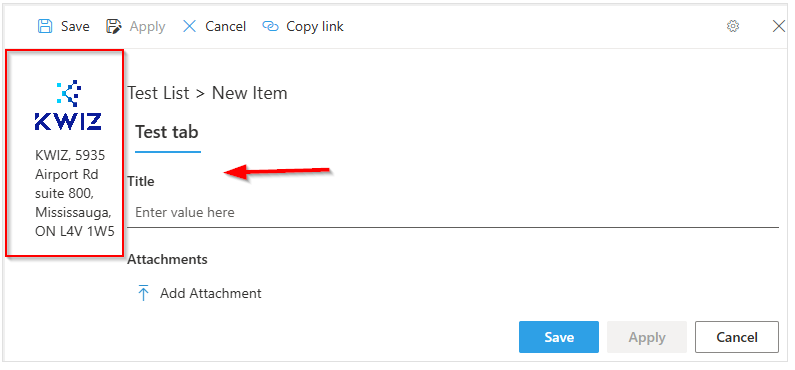
- Access the Style Editor - open one of the list items in view/edit form.
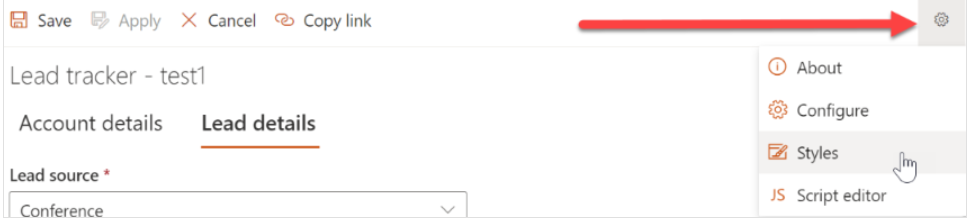
- Click the gear icon on the top-right side of the form and select Styles.
- Once you've accessed the Style Editor, copy and paste the CSS code below. Be sure to replace the company information with your own.
In the example provided, we've used KWIZ as a placeholder.
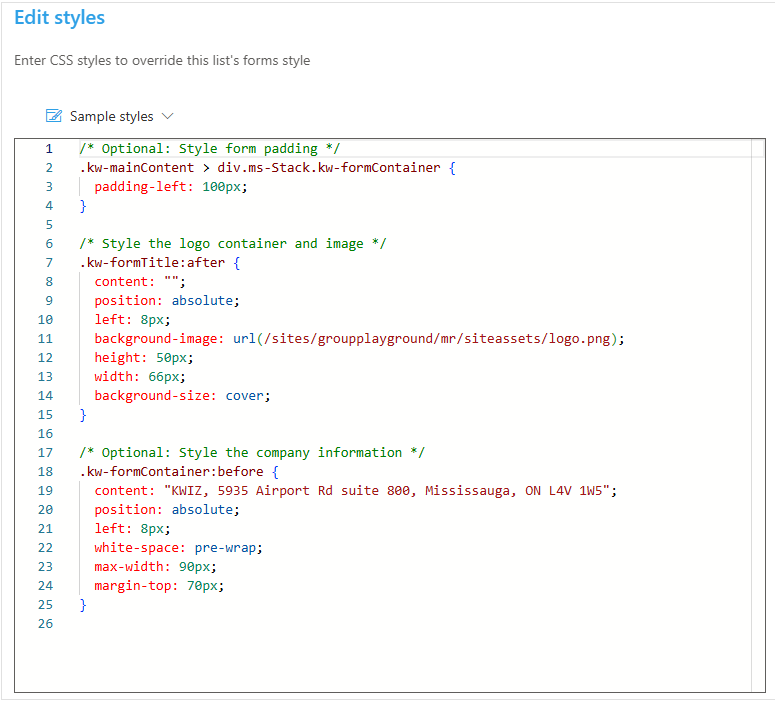
/* Optional: Style form padding */
.kw-mainContent > div.ms-Stack.kw-formContainer {
  padding-left: 100px;
}

/* Style the logo container and image */
.kw-formTitle:after {
  content: "";
  position: absolute;
  left: 8px;
  background-image: url(/sites/groupplayground/mr/siteassets/logo.png);
  height: 50px;
  width: 66px;
  background-size: cover;
}

/* Optional: Style the company information */
.kw-formContainer:before {
  content: "KWIZ, 5935 Airport Rd suite 800, Mississauga, ON L4V 1W5";
  position: absolute;
  left: 8px;
  white-space: pre-wrap;
  max-width: 90px;
  margin-top: 70px;
}
By following these steps and tailoring the code to your specific needs, you can successfully add a logo and company information to your modern form.
To learn about more styling options read the Configuring Customizing Form Styles