Overview
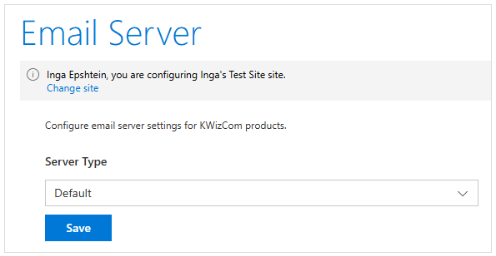
Previously, SharePoint’s SendEmail API relied on legacy SMTP-based settings to send emails, particularly to external recipients. With the move to Microsoft Graph API, emails can now be sent from any valid Microsoft 365 user mailbox to both internal and external users, eliminating the need for legacy SMTP settings in most cases.
Customers who prefer to continue using SMTP may still do so by configuring a custom mail server.
Please note that Email Activities using the default Exchange server settings will no longer send emails unless updated to use Microsoft Graph.
Cause:
Microsoft has retired the SharePoint SendEmail API, which was previously used by the default email configuration in KWIZ Workflows. As a result, any Email workflows configured with the default settings will no longer send emails until the new Microsoft Graph permissions are granted.
Steps to Enable Graph API Email Sending
A Global Administrator or Tenant Administrator must complete the following steps:
- Go to KWIZ Settings on any SharePoint site
- Locate the yellow warning message
- Click Grant Access

4. Follow the consent prompt
5. Approve the Mail.Send permission for the KWIZ application
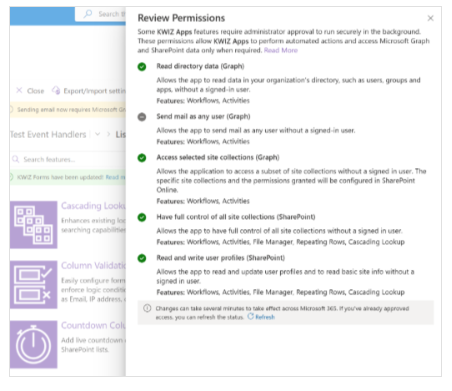
Once completed:
- Email functionality will be restored
- Emails can be sent to external users
- The yellow warning message will disappear