Service Notice
Classic Apps Retirement & RER Migration
Release Date: March 2026 Effective Date: April 2, 2026 ⚠️ Customer Action Required
Summary
Microsoft is retiring Azure ACS on April 2, 2026, which will cause KWIZ Classic Apps (SharePoint Add-ins) to cease functioning. Customers must transition to KWIZ Modern Apps before this date to ensure uninterrupted service.
Additionally, Remote Event Receivers (RER) that depend on Azure ACS will stop working. We have implemented an automated migration path to Entra AD that extends RER support through July 1, 2027 — but this requires a one-time administrator action.
What's Affected
|
|
|
|---|
KWIZ Classic Apps (SharePoint Add-ins)
|
⛔ Stops working April 2, 2026
|
|
|
⛔ No longer accessible after April 2, 2026
|
Forms running exclusively in Classic environment
|
|
Remote Event Receivers (ACS-dependent)
|
⚠️ Requires migration (see below)
|
What's NOT Affected
- ✅ SPFx components
- ✅ Data View Plus Web Part
- ✅ KWIZ Modern Forms
- ✅ Existing sites already configured with Classic apps (will continue to function with limitations noted above)
⚠️ Customer Action Required
1. Transition to Modern Apps (Recommended)
This is the recommended long-term path. Transitioning before April 2, 2026 eliminates all ACS dependencies and ensures uninterrupted service.
👉 Refer to the Modern App Installation for step-by-step instructions.
2. Remote Event Receiver (RER) Permission Grant (Required if using RER)
Customers using features that rely on Remote Event Receivers must complete a one-time reauthentication and permission grant workflow. This is not a passive update — it requires active administrator intervention.
Step-by-step:
- Review Permissions — Visit any settings page that uses RER. If permissions are missing, you'll see a new warning banner.
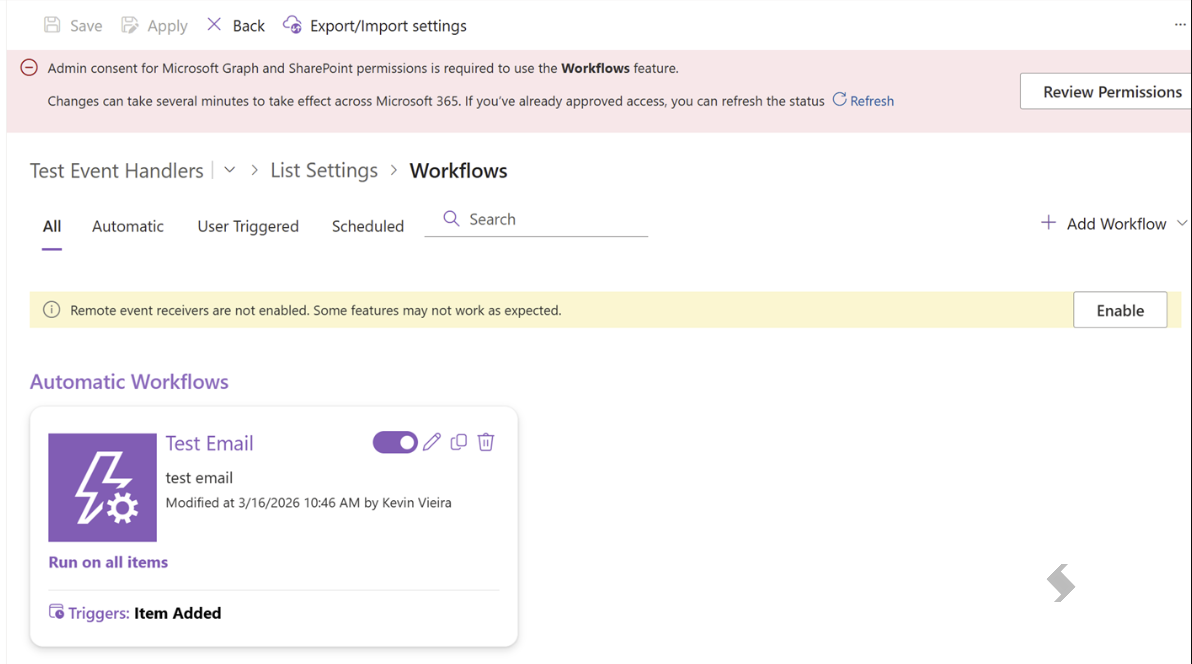
- Select "Review Permissions" to see which permissions are currently granted and which are missing.
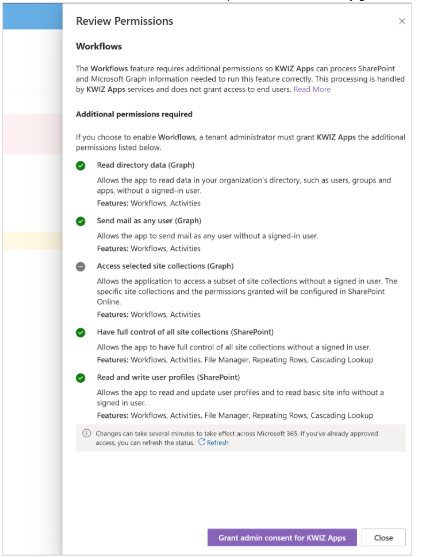
- Grant Admin Consent — An administrator must grant consent for the new "Access selected site collections (Graph)" permission.
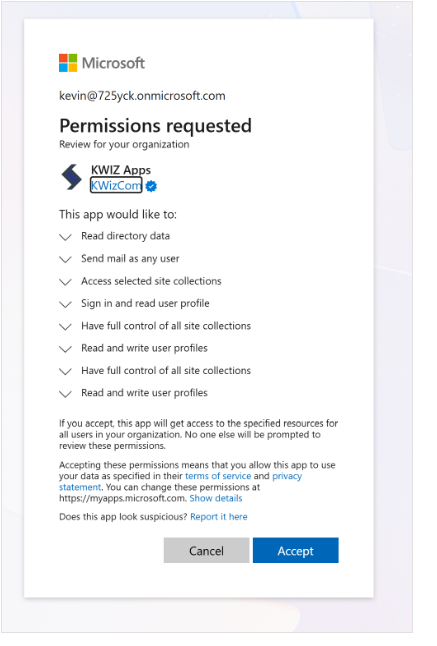
- Select "Grant admin consent for KWIZ Apps" → you'll be redirected to the Microsoft admin consent screen → accept → you'll be redirected back to the site.
If the warning persists, refresh the page.
- Once admin consent is confirmed, select "Enable" to grant the required RER permissions.
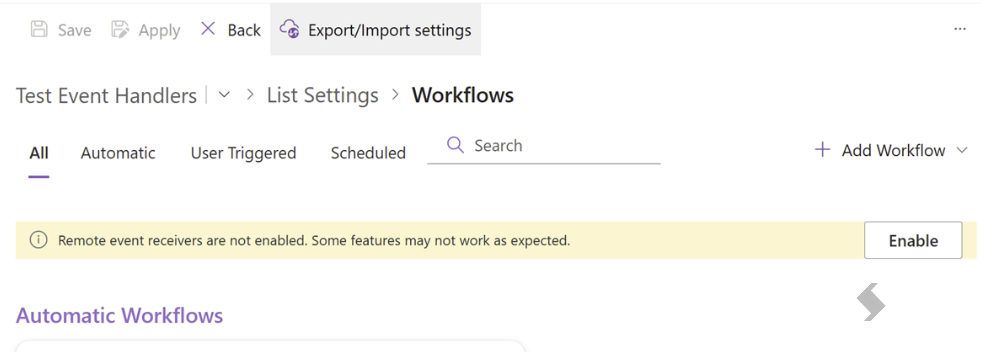
- Remote events will then continue functioning correctly.
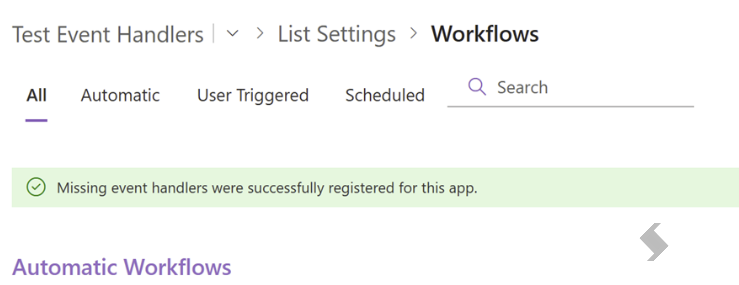
Note: Completing this flow migrates your RER from Azure ACS to Entra AD, extending RER support until July 1, 2027. On that date, KWIZ will automatically re-register any remaining ACS-based RER with Entra AD.
References: