External Sharing Levels (Microsoft)
External Sharing has two configurable layers in Microsoft:
Organisation level
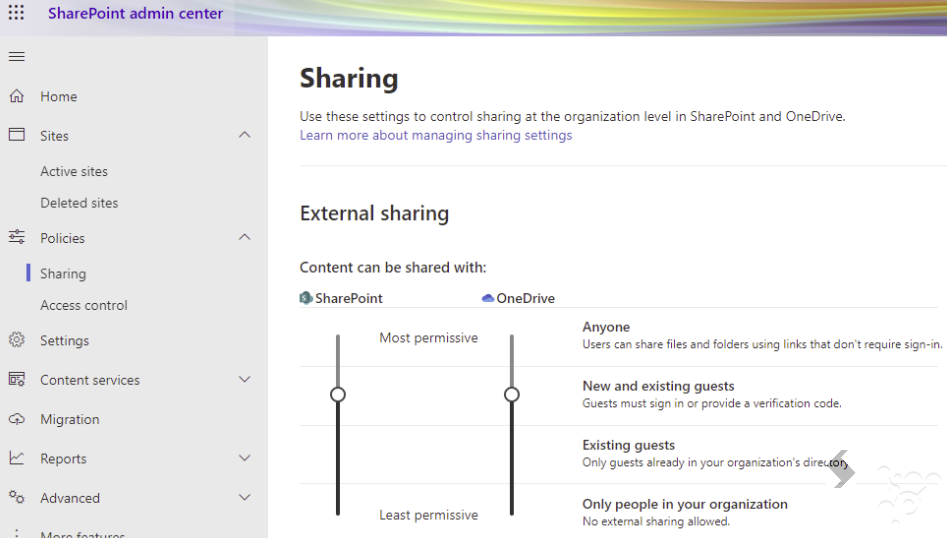
Defined in the SharePoint Admin centre > Policies > Sharing is the default for every Site created. The Site will get the most permissive sharing setting.
Site Level
For each Site the External Sharing permission can be changed, but cannot be more permissive than the organisation level.
This is managed in SharePoint Admin Centre > Active Sites > Policies > External Sharing
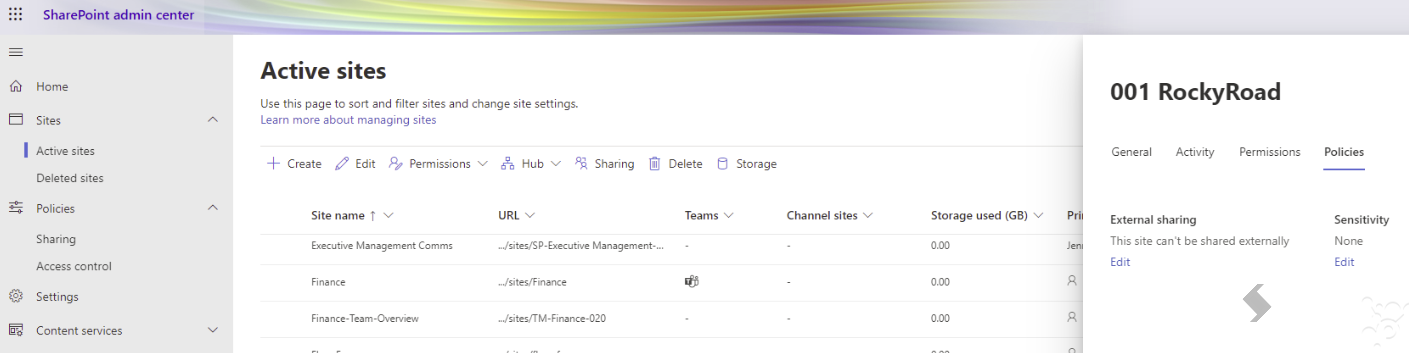
As an Owner of a Site you can manage other sharing option for each Site but the sharing permissions are only manageable via the Admin Centre.
What does ProvisionPoint Do?
For each Service Definition you can:
- Leave External Sharing Disabled to use the Organisation default. It will use the most permissive permission in the SharePoint sharing policy.
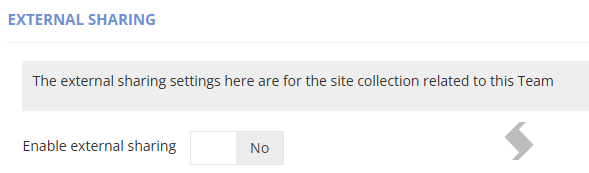
- Enable External sharing to define the Site level to be applied without access to the SharePoint Admin Centre.
- Set the Site level Default to be applied to all Sites created. This should never be set to a level above the organisation default*
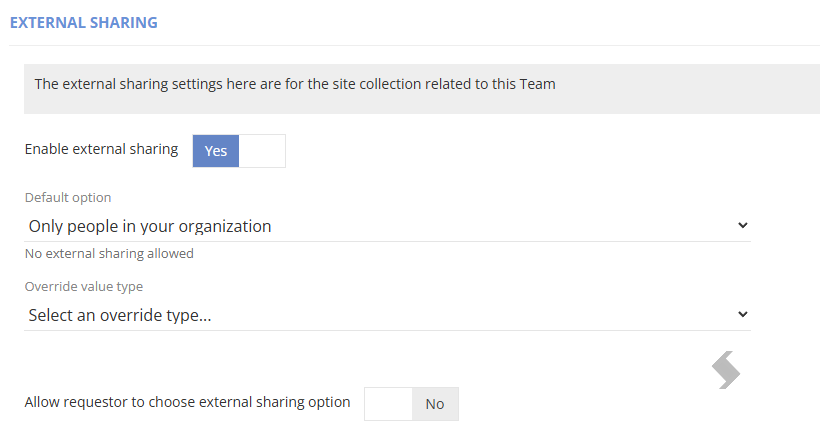
- Allow the requestor to choose the site level to be applied. The options list should never allow a level above the organisation default*
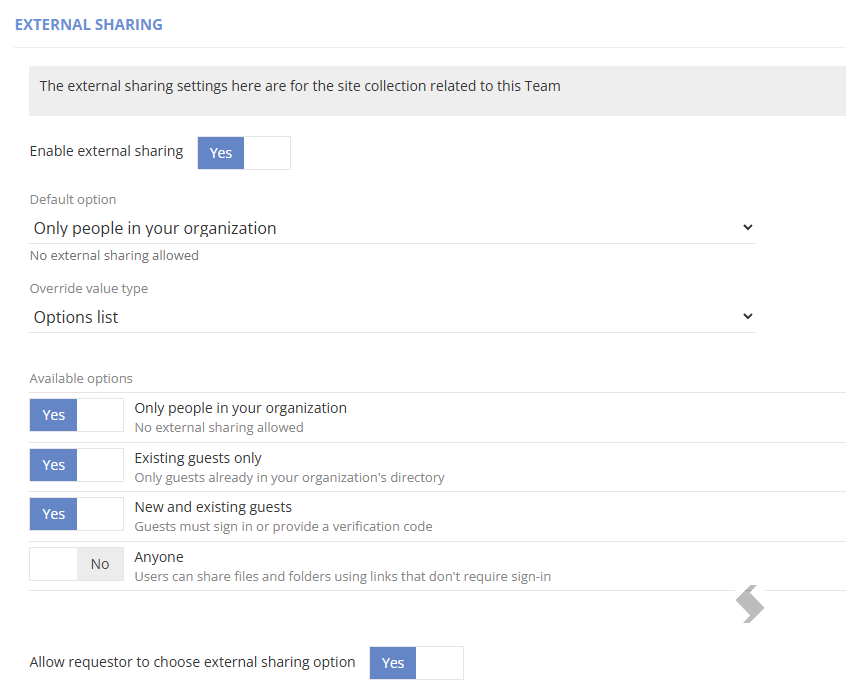
*If the level selected exceeds the organisation level, the job will fail to create, and will show an error highlighting this.
This is how ProvisionPoint will never allow a Sites external sharing to exceed the organisation default.
Once a new request is processed and created the settings chosen on the request form will be applied to the SharePoint site:
Troubleshooting
If the Site level selected is more permissive than the organisation level the following error will be displayed in the Job queue:
Info -> Guest Access -> Setting guest access to Enabled.
Info -> Guest Access -> Set guest access to Enabled.
Info -> ChangeExternalSharing -> Getting current external sharing value
Info -> ChangeExternalSharing -> Current external sharing value is 'Only people in your organization - No external sharing allowed'
Exception (failure) -> ChangeExternalSharing -> Error setting external sharing. You can’t set the sharing capability to the level you specified, because it is a less restrictive setting than either its parent site collection or your organization.
Exception (failure) -> Error running process. You can’t set the sharing capability to the level you specified, because it is a less restrictive setting than either its parent site collection or your organization.