Please review the Product Roadmap to see future Releases: Product Roadmap | SnapOn Software | Software That Clicks
Below is a list of the new feature and maintenance releases for Forms in 2025
Version 2.1
Release Date: 7th July 2025
New Features & Enhancements
Public Forms dynamic templates
Expand to learn more
Publish Public Forms templates to a GitHub repository, and allow customers to fork the repository and create their own templates gallery for testing.
This will allow us to open a process for community suggested templates submitted through a pull-request in GitHub.
References: https://github.com/KWizCom/public-forms-gallery
Optional Server Access
Expand to read more
Update the in-app user engagement with users on accounts that did not opt-in to grant server access.
References: Grant tenant-wide admin consent to KWIZ Apps
Repeating rows data integrity
Expand to learn more
As part of our overall strategy to make KWIZ Server Access optional, this release includes a redesign of the repeating rows data integrity and health checks.
Most activities, such as healing the master-detail relationships, setting up a reverse lookup, and cleaning up removed rows, will now be handled in the client side without the need to opt-in for server access.
Maintenance - expand to see fixes
UI/UX Fixes
- Dark theme support: Added support for public forms to use dark-theme
Stability Fixes
- Stability and performance improvements
Expand here to see all patch releases for v2.1 in 2025
V2.1 Patch Published Dec 17, 2025 (20251209)
New Features:
- 2239 - Choice field type now supports the same operators in conditions as Text fields, allowing users to apply comparisons such as 'greater than' or 'less than' to control form behavior.
- 2261 - Add Files to Subfolders – enables users to upload one or more files per document type using Repeating Rows, automatically creating subfolder structures and renaming files based on form properties, document type, and document count.
Expand to see fixes
- 2268 - Resolved an issue where users could not review historical versions of list items in SharePoint while using a customized KWIZ Form Builder form, allowing accurate viewing of past values for auditing and compliance purposes.
- 2283 - Resolved an issue in Automatic Actions where Get User Profile Property failed to return user email in an Item Updated event using Field Tokens; the action now works correctly when updating a field with a variable.
V2.1Patch Published Dec 3, 2025 (20251124)
New Feature
- 2275 - Enabled full Draft/Publish/Preview functionality, allowing users to manage versioned settings, preview drafts, publish selected versions, and control live/published configurations.
Expand to see fixes
- 2269 - KWIZ Activities were not sending emails in a GCC High environment, this issue has now been resolved.
- 2271 - External users could not see KWIZ Modern Apps settings in Classic forms and the form configuration, this issue has now been resolved.
- 2274 - (Forms on Prem) Modern Apps settings in Classic mode were not functioning in SharePoint 2016, this issue has now been resolved.
- 2276 - The Apply button did not redirect to the Edit Item page and created multiple items when clicked repeatedly; this issue has now been resolved.
V2.1 Patch Published Nov 18, 2025 (20251114)
Expand to see fixes
- 2264-File shared using the 'Anyone' option fails to open in Firefox, now resolved to open correctly across all browsers.
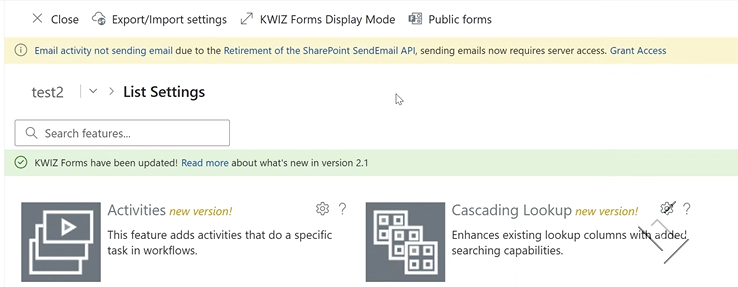
- 2265 - Emails not sending due to SharePoint Send API retirement. Graph will now be used for the default email server options, but a reconsent by the Global admin should be run to add Mail.Send permissions to Kwiz apps.
Read More about this issue: How to Enable Email Sending in KWIZ Workflow Activities Using Microsoft Graph

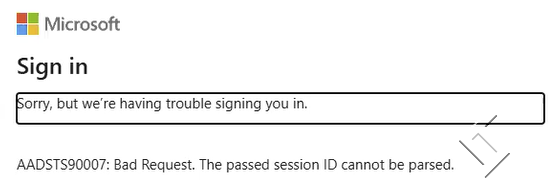
- Fix when using the Firefox browser, if a file is shared the link does not open, but gives and error 'The passed session ID cannot be parsed.

V2.1 Patch Published 30th October 2025
Expand to see fixes
- 2224 - Content Type field added in the Form Builder was not appearing in New/Edit forms; this issue has now been resolved.
- 2248 - (Forms On Prem) - Attachments were not rendering when clicking 'Add Attachment' in Email activities; this issue has now been resolved.
- 2254 - (Forms On Prem) - Added the ability to display the Modern Form on classic item pages with a toggle to enable or disable it.
V2.1 Patch Published 16th October 2025
Expand to see fixes
This patch applies fixes to Forms, the issues below have been resolved:
- 2220 - (Forms On Prem) - Ability to approve or reject items directly from email (no need to open the SharePoint page)
- 2232 - Calculated columns no longer display too many decimal places in View/Edit mode
- 2233 - Incorrect display of date values between October 1970 April 1971 in Australia time now reflecting the correct date. Previously the date was changing due to a lack of Daylight savings during this period. (will require manual manipulation of data if you adjusted your dates to show the correct date.
- 2234 - Activities Group showing incorrect condition (Previous Value). This has now been removed from the UI
- 2235 - Forms with multiple Rich text or Enhanced rich text now load without the lazyapproval health errors. Making the Form load faster and when switching between tab groups.
- 2245 - (Forms On Prem) - Added ability to enable KWIZ apps on all sites and subsites. The “KWIZ Modern Provision for Farm” feature must be activated at the Farm level by an administrator.
V2.1 Patch Published 10th September 2025
Expand to see fixes
This patch applies fixes to Forms and Repeating rows, the issues below have been resolved:
- 2204 - (Forms on Prem) - Ability to set custom email server for 'Send Email' activity to send attachments not links.**** This page now loads as expected.
- 2205 - (Forms on Prem) - New rich text editor for 'Send Email' activity, allowing table customisation including:
- Resizing columns
- Inserting rows/columns
- Delete rows/columns
- Resizing the table
- 2207 - (Forms on Prem) - Group headings will no longer disappear when scrolling or collapsing sections
- 2106 - View Permissions not consistently hiding views on very limited setup. This is now more responsive to prevent view being displayed
- 2213 - (Classic) - Repeating rows and Cascading Lookup not displayed correctly for limited setup
References: 2204, 2205, 2207, 2106, 2213
V2.1 Patch Published 3rd September 2025
Expand to see fixes
This patch applies fixes to Forms and Repeating rows, the issues below have been resolved:
- 2162 - Repeating Rows reverse look up on a parent list will now load and save the master item for child lists as expected, allowing the reverse look up to work.
- 2168 - Unable to access KWIZ apps or wizard. If you previously experienced issues with this and continue to see the issue, please change your display mode to full page and you will continue to work as expected.
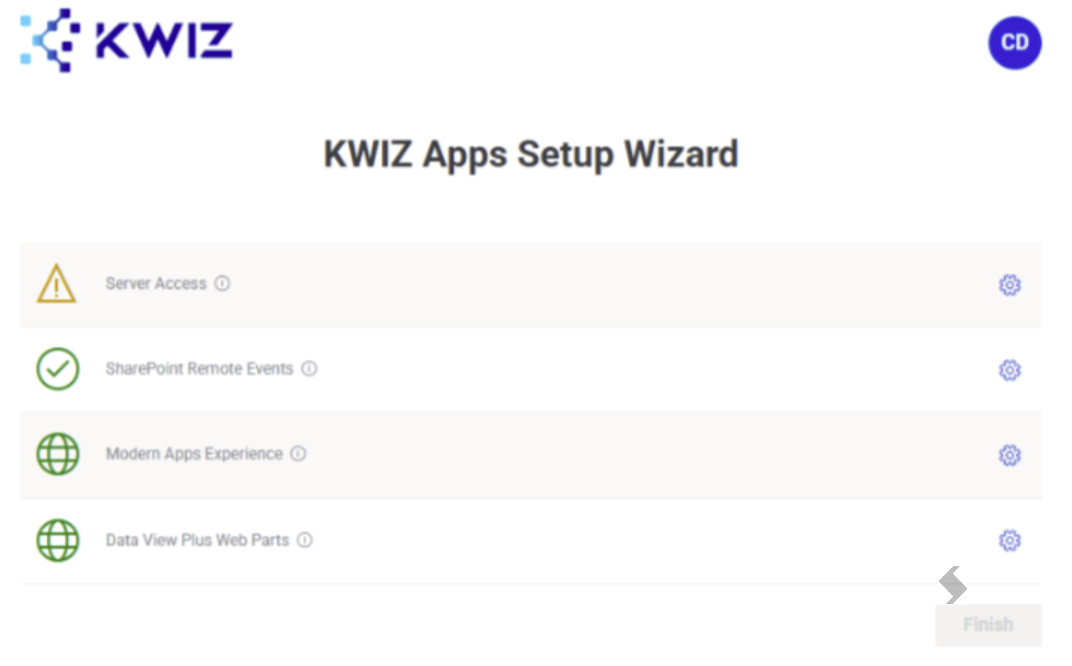
- 2183 - When using a Government tenant and attempting to 'Grant Server Access' in the setup wizard, the admin consent will be successful, the correct app Id is now selected allowing completion.
- 2190 - (Forms on Prem) - When configuring an Update Item activity to set a Date+Time column =
[Now] + 10 the +10 will no longer be ignored.
- The Date + Time field should be set to the current time plus 10 minutes.
[Today] token should correctly add days, and [Now] token should add minutes to the date value consistently across all usages
- 2191 - (Forms On prem) - User permissions screens not loading for Activities or setting a user based condition (in/not in). Lookup fields in conditions were causing the page to crash, all issue impacting this have been resolved and should load as expected.


- 2193 - (Forms On Prem) - Settings dialog not loading when lookup fields were selected in conditions for rules. All issues related to the loading have been resolved
- 2194 - (Forms On prem) - Multiple line enhanced column validation for 'Is empty' now works as expected for not fields (HTML) that did not contain any text
- 2199 - Items now save to the folders on a list as expected. Folder must be enabled for the list for this to work. A redirect was the root cause and has now been resolved to always include the folder when used.
- 2200 - Trial dialogue shows all features available in trial including purchased features that have expired
- 2202 - (Forms on Prem) - Support for Scheduled Workflows is added
References: 2162, 2168, 2183, 2190, 2191, 2193, 2194, 2199, 2200, 2202
V2.1 Patch Published August 05 2025
This patch allows users to deploy KWIZ Forms on premises, on classic UI only, without having to configure and deploy the SPFx modern package on their farm.
SharePoint 2019 & Subscription Edition (SE) Install
KWIZ Display Mode
V2.1 Patch Published July 15 2025
Expand to see fixes
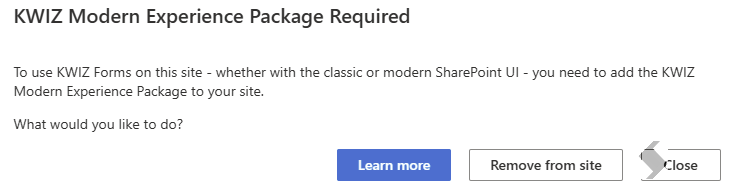
Customers who are using classic UI only, without visiting a modern page will now be able to manually trigger KWIZ Forms provisioning on their site.
This patch is especially important for customers in on-premises versions of SharePoint, who will now be able to get to the KWIZ Apps site and list settings pages directly from classic UI.
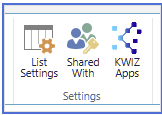
We've also added the KWIZ Apps button to the classic UI ribbon, and added a Cleanup Forms classic UI menus to remove all classic integration from your site once you retract our apps.
 Classic list views KWIZ Apps settings:
 Cleanup option to remove classic UI artifacts from your site:
This patch also addressed an issue with metadata columns, displaying the term ID instead of the label in some situations.
References: updated installation docs for on premises, Issue number: 2180
V2.1 Patch Published July 11 2025
Expand to see fixes
This patch addressed a few urgent issues that affected some customers:
- A caching issue caused a new item to be created when editing an item, instead of updating the item that was being edited.
- The same issue also caused some attachments to not be displayed on the form for items that had attached files.
References: 2155, 2152
Version 2.0
Release Date:
Official release: Public Forms
Official release for public forms - a brand new feature added to KWIZ forms, allows you to create powerful publicly available intake forms and share them with customers.
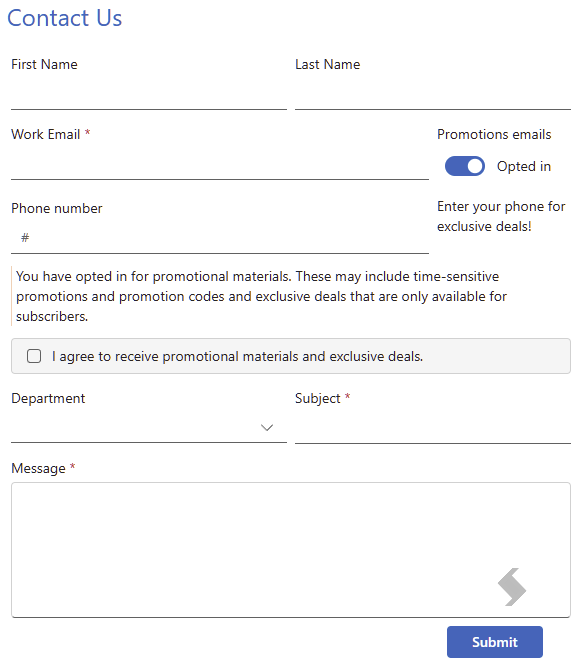
Public forms can be embedded on your site, or shared via a QR code, and quickly collect feedback from anonymous users. The information is stored in a Microsoft List and you can start collaborating on it within SharePoint & Teams, using the full suite of KWIZ Forms features, kick off a workflow, display it in Data View Plus and more.
 Sample contact us form
References: Public Forms
Next steps in making KWIZ Server access optional
Deploying a new experience throughout KWIZ Forms for customers who did not opt-in for granting server access.
This release will deploy the new experience to Public Forms, with the next release to expand this new experience across all other features.
References: Grant tenant-wide admin consent to KWIZ Apps
Feature activation setting
We have introduced a tenant-wide settings that changes the feature activation behavior across all sites in the tenant.
Instead of automatically turning on features based on your license, sites will default into the advanced activation mode, requiring site owners to turn on select features on their site before they are available to be used.
References: Issue 2012, Kwiz Feature Activation
Maintenance
UI/UX Fixes
- Server Access opt-in: Improved in-product prompts for customers who did not opt-in to grant server access, when using a feature that requires that access.
Stability Fixes
- We've improved the stability of public forms MVP release issues
- Fixed a stability issue with cross-site lookup column new item dialog
- Fixed an issue with term set fields in document libraries
- Redirecting users after using a full-page new/edit form will now redirect to the view they started in
References: 2022, 2011, 2008, 2000, 1999, 2034, 2060, 2057, 2047
Expand to see all subsequent Patches for v2.0
Patch Published June 4, 2025
This patch addresses several stability and user experience issues identified by our customers:
- View Permissions Reliability: Resolved an issue where view permissions were not properly restricting access to certain views. The underlying permissions check is now more responsive and consistently enforces view-level security.
- Ribbon Button Visibility After Trial Deactivation: Fixed a problem where the KWIZ button disappeared from the ribbon after manually ending a trial, even for users with valid licenses. The ribbon will now display appropriately regardless of trial status.
- Provisioning with On-Premises App IDs: Addressed an issue preventing the KWIZ Apps Settings option from appearing in environments with on-premises components due to mismatched app IDs. The check now correctly recognizes both cloud and on-premises configurations.
This update improves overall stability and ensures a smoother experience for all Forms users.
References: Issues 2106, 2134, 2140
Patch Published April 30, 2025
Critical fix that affected customers using KWIZ Forms in full page mode would experience an error page where the form would not load.
This issue was discovered in production following a change published by Microsoft that prevented SPFx pages from loading when there was an item context.
As a result we have reported the issue to Microsoft, but deployed a different approach to host our form while a fix is available.
References: issue 2122, GitHub discussion, Forms fail to load - April 29 2025