Please follow this article if you are migrating from Forms add-on to Forms app.
To migrate KWIZ Forms add-on to Forms apps, follow these steps:
Before migrating your forms:
- Use standard SharePoint migration tools to migrate your site(s).
- Ensure that you have identical AD/SharePoint group names in both the source and target environments.
- Ensure that target lists and source lists have matching list names and column names.
- Install Forms app in your Tenant, which is included in KWIZ Modern Apps.
To install the KWIZ Modern Apps, please read and follow the instructions: KWIZ Modern Apps Installation tutorial
Export:
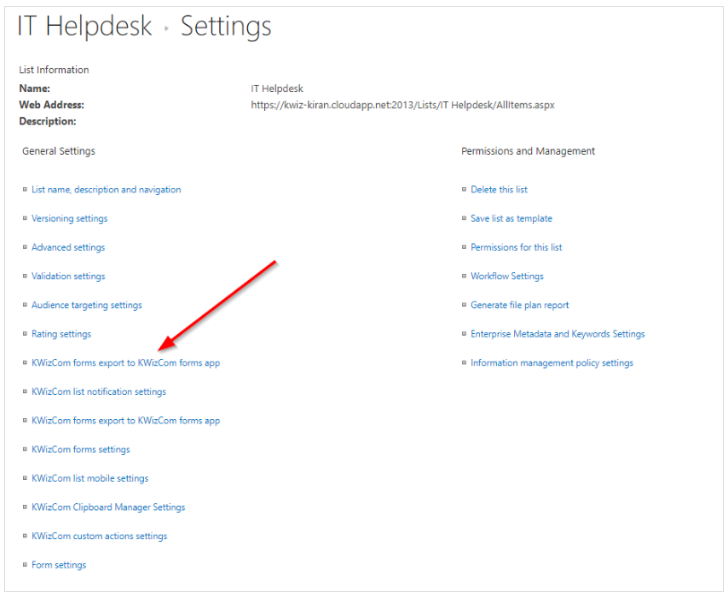
- To export the settings of the KWIZ Forms add-on from lists in your SharePoint 2013-2019 on-premises environment, navigate to the list settings within your list ribbon.

- Select KWizCom Forms Export to KWizCom Forms app.
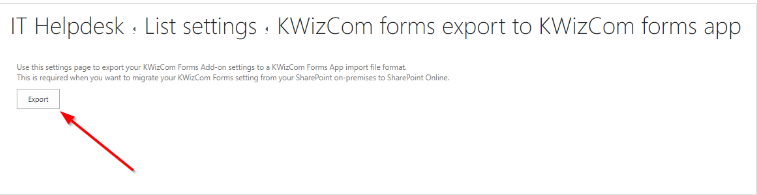
- Select Export and you will by prompted to save the exported file as a .txt file.
Import:
To import the settings of the KWIZ Form, go to the same list that you have in your SharePoint Online or SharePoint 2019 environment.
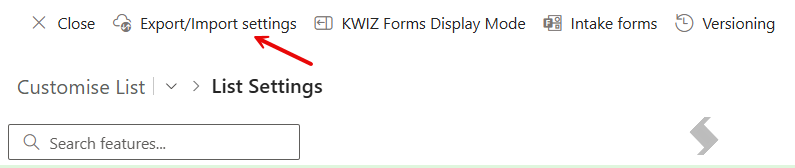
- Click on KWIZ Apps in the ribbon to open the KWIZ Apps settings page for the list.

- In the KWIZ Apps settings page, click Export/Import settings.
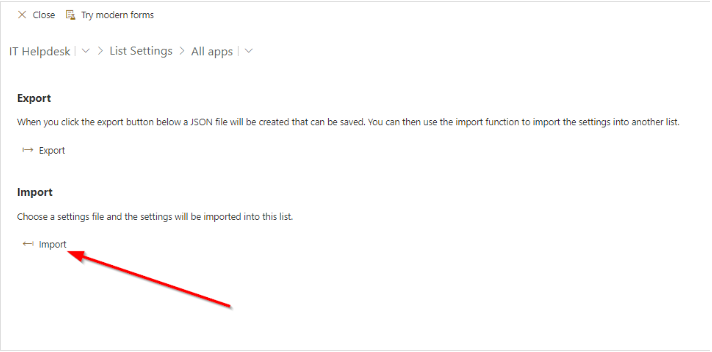
- Click Import which will allow you to import your Forms settings from SharePoint 2013-2019 On-Premises environments.