The Team settings will only be shown if a Microsoft Team has been set as the Service type in the Overview tab, it will allow an App Manager to pre-set various Microsoft Teams settings during the provisioning process.
Go To Admin > Service Definitions > Team Settings tab, the settings are separated into 6 sections.
General
This section provides the option to:
- Create Team from template, unless you have an education tenant this is not required and can be set to No, if you are using an Educational tenant see article Creating Teams for Education
- Create the Team in an archived state. Once the Team has been created, members can be added and removed and roles can be changed, however, all team activity will be frozen until the Team is unarchived.
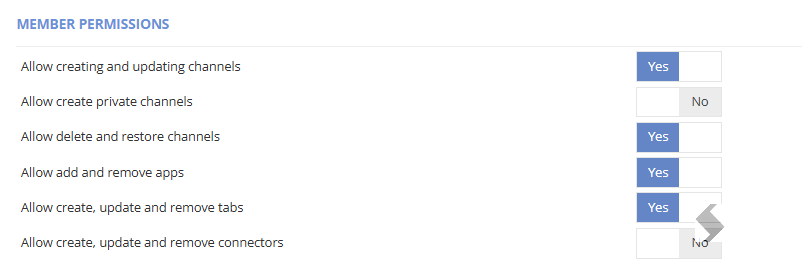
Member Permissions
This section provides the option to define what members can perform in the team. Toggle the relevant options between Yes/No.
Guest Permissions
This section provides the option to define what guests (if enabled) can perform in the team.

Messaging Settings
This section provides the option to define what users and owners can perform, regarding messages.
Mentions
This section provides the option to define if @team or @channel can be used by members of the
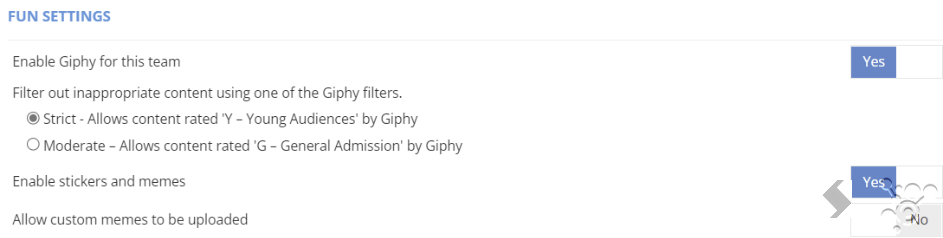
Fun Settings
This section provides an option to define how/if Giphys, Memes and Stickers can be used in the Team. Depending on the use of the Team this may need to be set to No.