Channel Actions
All Actions are disabled by default and will need to be enabled for each Service Definition.
Additionally
Please check the Timeline once an Action has been run for the results.
The Channel actions will only be displayed if your service definition service type is set to Microsoft Teams
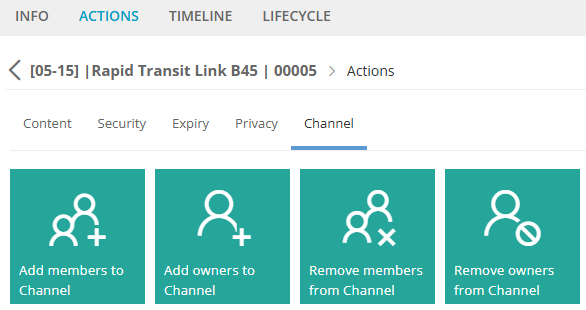
Add Members to Channel
Expand to read more about the Action: Add Members to Channel
Requesting this Action allows Members to be added to existing shared or private channels.
First, select the Channel to display current members. If no members are displayed, there may not be any members, please ensure the Channel in Teams has been fully provisioned by opening the Files tab for the channel.
Finally, type the members name to complete a lookup, then submit your change.
For Private channels only existing members of the Team can be added to a channel. If a member is requested that is not a member of the Team, the job will fail with the error 'User is not found in the Team'.
Remove Members from Channel
Expand to read more about the Action: Remove Members from Channel
Requesting this Action allows Members to be removed from existing shared or private channels.
First, select the Channel to display existing members.
Finally, type the members name to complete a lookup, then submit your change.
Add Owners to Channel
Expand to read more about the Action: Add Owners to Channel
Requesting this Action allows Owners to be added to existing shared or private channels.
First, select the Channel to display current owners. If no owners are displayed, please ensure the Channel in Teams has been fully provisioned by opening the Files tab for the channel.
Finally, type the owners name to complete a lookup, then submit your change.
Remove Owners from Channel
Expand to read more about the Action: Remove Owners from Channel
Requesting this Action allows Owners to be removed from existing shared or private channels.
First, select the Channel to display current owners. If no owners are displayed, please ensure the Channel in Teams has been fully provisioned by opening the Files tab for the channel.
Finally, type the owners name to complete a lookup, then submit your change.