Version 3.4 Released September 24, 2026
Quick Start
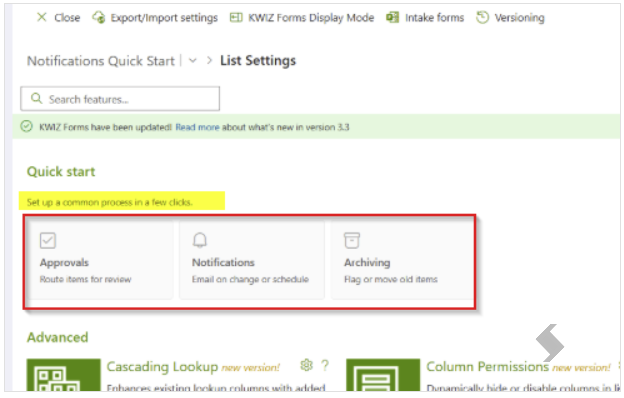
Quick Start makes it easy to add common processes to a SharePoint list using Forms, without having to set everything up manually. Simply choose a template, provide a few details, review the setup, and apply it. Quick Start automatically creates the settings needed for you.
Quick Start includes three ready-to-use templates:
- Approvals – Route items through one or more review stages, with Approve, Reject, Bypass, and Reset buttons.
- Notifications – Send emails when items change, or on a daily/weekly schedule.
- Archiving – Flag older items in place, or move them to a separate archive list.
Simply open Kwiz Apps and select Quick Start.
Set Up in Three Simple Steps
Each template follows the same three-step process:

- Configure – Enter the information needed for the selected process.
- Review – Review a summary of what will be created before anything is changed.
- Apply – Apply the changes to the list and follow the progress using a live checklist.
You can expand the panel for more room, and cancel at any time before applying without making changes.