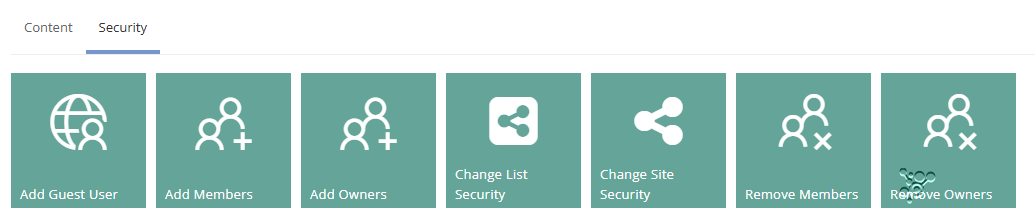
Security Actions - Manage Ownership and membership
All Actions are disabled by default and will need to be enabled for each Service Definition.
Additionally
Check the timeline for the results of the Action
Add Owners
Expand to read more about the Action: Add Owners
Requesting this Action will allow multiple owners to be added to O365 workspace and as a service instance owner. Start typing their name and an AAD lookup will be run.
This Action is only available to Group connected workspaces. If you are managing owners via request form fields this Action should not be used, run 'Update Details' instead.
Remove Owners
Expand to read more about the Action: Remove Owners
Requesting this Action will allow multiple owners to be removed from O365 workspace and ProvisionPoint service instance owners. Click on the person icon to add them to the list or type their name.
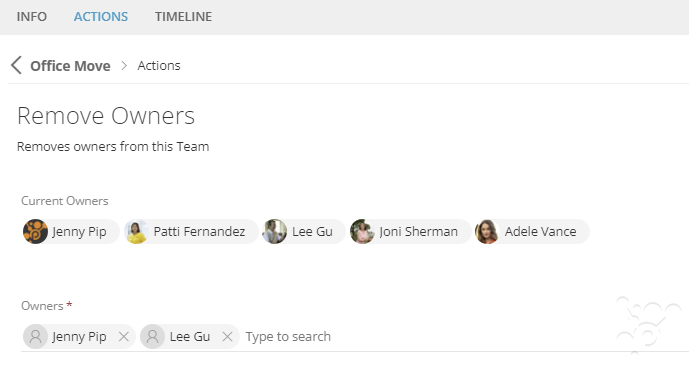
This Action is only available to Group connected workspaces. If you are managing owners via request form fields this Action should not be used, run 'Update Details' instead.
Add Members
Expand to read more about the Action: Add Members
Requesting this Action will allow members to be added to O365 workspace.
If you are managing members via request form fields this will add them to O365, but it will not update your member's field. Please use the Update workspace details Action instead.
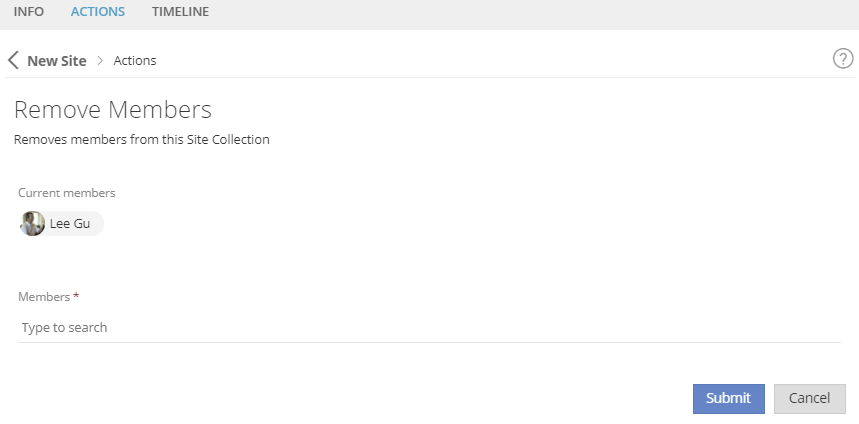
Remove Members
Expand to read more about the Action: Remove Members
Requesting this Action will remove existing members from your O365 environment.
If you are managing members via request form fields this will remove them from M365 workspaces but it will not update your member's field. Please use the Update workspace details Action instead.
Add Guest User
Expand to read more about the Action: Add Guest User
Requesting this action will send an invite to the guest, to your tenant and add them to the workspace with the permission provided.
This action should only be run on workspaces that support guest access.
To ensure an invite is sent, you must also enable the invite in the Service Definition: Go to Admin > Service Definitions > Security > Add Guest User Action
If you would like the invite to redirect on acceptance to the Team, replace the redirect url with {TeamUrl}
If you run the Action on a Group connected Site and your Tenant group settings do not allow guests to be added as an Owner, the Owner permission will not be available
Change Site Security (Classic Sites only)
Expand to read more about the Action: Change Site Security
This is a legacy Action is only available to Classic SharePoint Sites and Sub Sites. Requesting this Action will allow requestors to modify the permissions applied to the SharePoint site.
Ensure the Permissions needed are enabled in the Service Definition > Security > Permissions area.
Change List Security (Classic Lists only)
Expand to read more about the Action: Change List Security
This is a legacy Action is only available to Classic SharePoint Sites and Sub Sites. Requesting this Action will allow requestors to modify the permissions applied to a List on the SharePoint Site.
Ensure the Permissions needed are enabled in the Service Definition > Security > Permissions area.