ProvisionPoint can be used to create Teams for Education tenants, this will allow users to create the following using the Team templates
- Classes,
- Staff meetings
- Extra curricular communities
Define who has access to these Teams and use them to give the best education collaboration to your work place.
To configure your provisioning via ProvisionPoint an App Admin will need to Create Forms, with any relevant additional information for collection at Team creation and create a Team Service Definition and choose the Education template to use.
- Go to Admin > Service Definitions > create a new or select an existing SD > Team Settings
- Set 'Create Team from Template' to Yes
- Select the template from the list
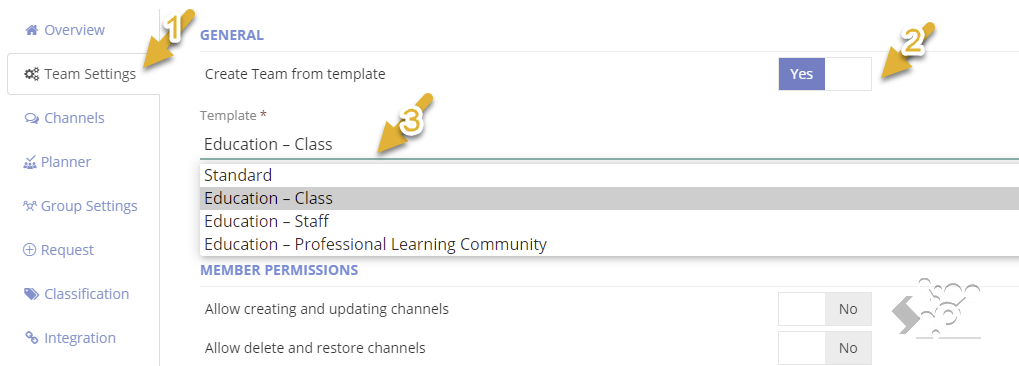
If you do not see these options, please raise a support ticket.
- Configure any other options, here are some that may be useful
- Channels and Tabs
- Request to link to the form and set naming conventions for the Team and the URLs.
- Lifecycle to set the expiry date of the Team and what will happen when the date of expiry is reached (Archive, delete, etc).
- Actions for changes that need to be run after the Team has been created
When the request is made the relevant template will be applied to the Team creation.
Use the API to make bulk creation or changes before a new Term starts or Ends.