If you want to apply custom CSS to the Org Chart employee card, please follow the steps below;
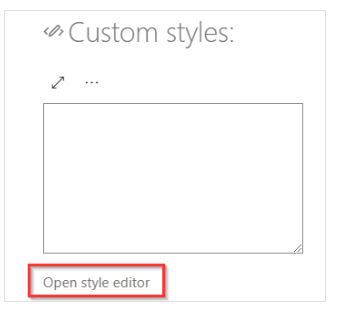
In the top (root) control, there is an in-line CSS editor.
You can use it to apply your custom CSS to the control/page, but you will need to know how to identify the controls you want to change.
Having an inline CSS editor makes it easier to include your changes in this page without having to reference any external files.
1. Click the gear icon within the top (root) control of the web part

2. Open the styles editor to add your customized CSS for your web part
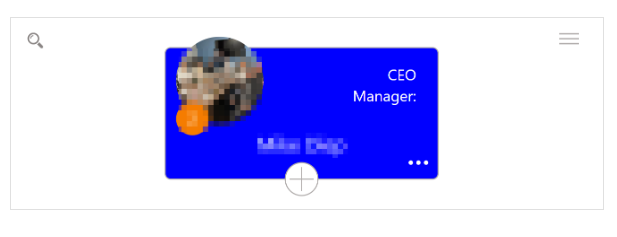
Example: Change the employee cards to blue.
If you would like to change it to a different color change the text from blue to another color.
Here is the CSS:
rect {
  fill: blue;
}
The layout of the card properties can also be adjusted:
- Change the font size, boldness,
- Add additional fields
- Change the position of elements
/*Org chart css SVG options for changing the tile*/
.kw-dvp-wrapper text.field_0 /*person field*/
{
    font-size: 12px !important;
}

.kw-dvp-wrapper text.field_1 /*position field*/
{
    font-size: 10px !important;
}

.kw-dvp-wrapper text.field_2/*additional field*/,
.kw-dvp-wrapper text.field_3/*additional field*/ {

    font-size: 8px !important;
    fill: green;
    text-anchor: middle /*left or right*/;
    x: 10 ;/*horizontal location in tile if anchor does not work*/
    y: 20;/*vertical location in tile if anchor does not work*/

}