Directory Visibility
Within the Security tab of a Service Definition, you can define who will be able to see the created workspaces by setting the Directory Visibility.
The Directory is displayed in ProvisionPoint, by default the visibility is set to General, this means anyone with permission to access the app will see the workspaces once they are created.
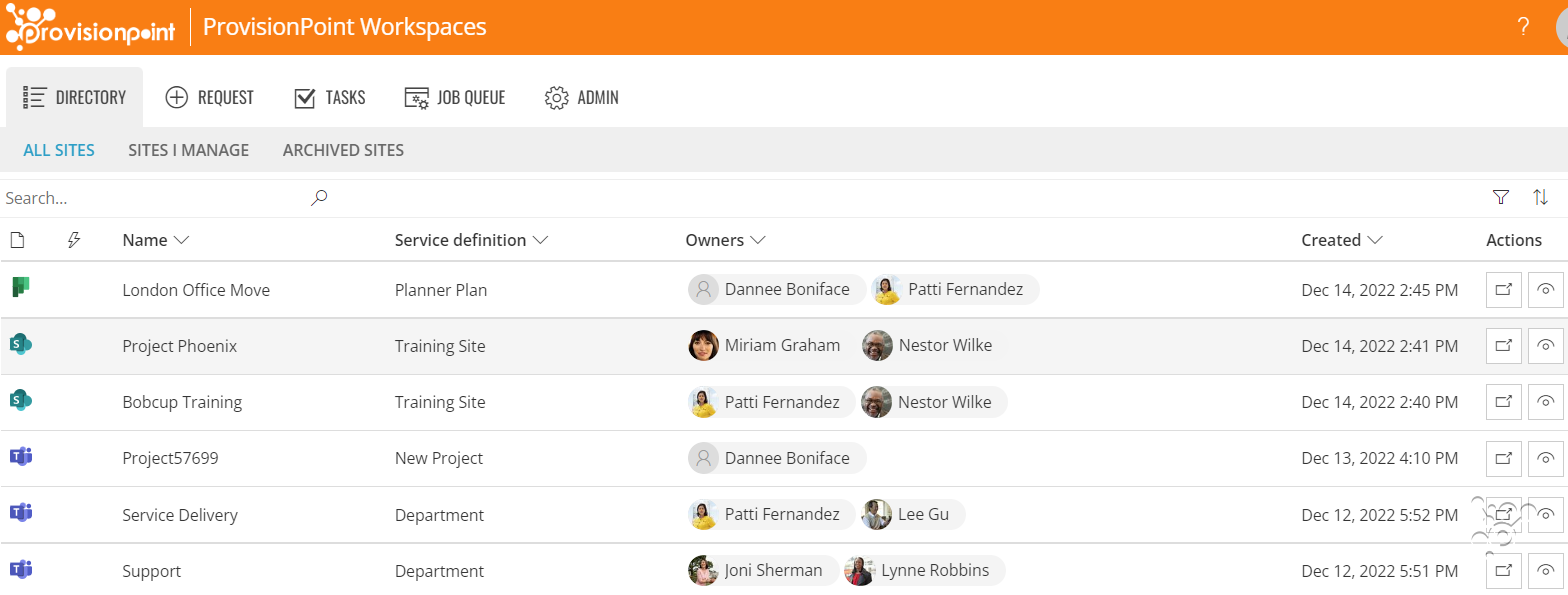
If you would prefer to restrict who will see the workspaces then limit the Directory Visibility to either:
- Owners, only the Service Instance Owner* - The Owners shown in ProvisionPoint
- Requestor List, only people allowed to request the Service Definition via the Request > Requestor & ownership settings
*Service Instance Owners is a permission only seen in ProvisionPoint, the default owner field will add any people as a service instance owner, you can also define this permission if you manage ownership via request form fields.
- To achieve this go to Admin > Service Definition > Security
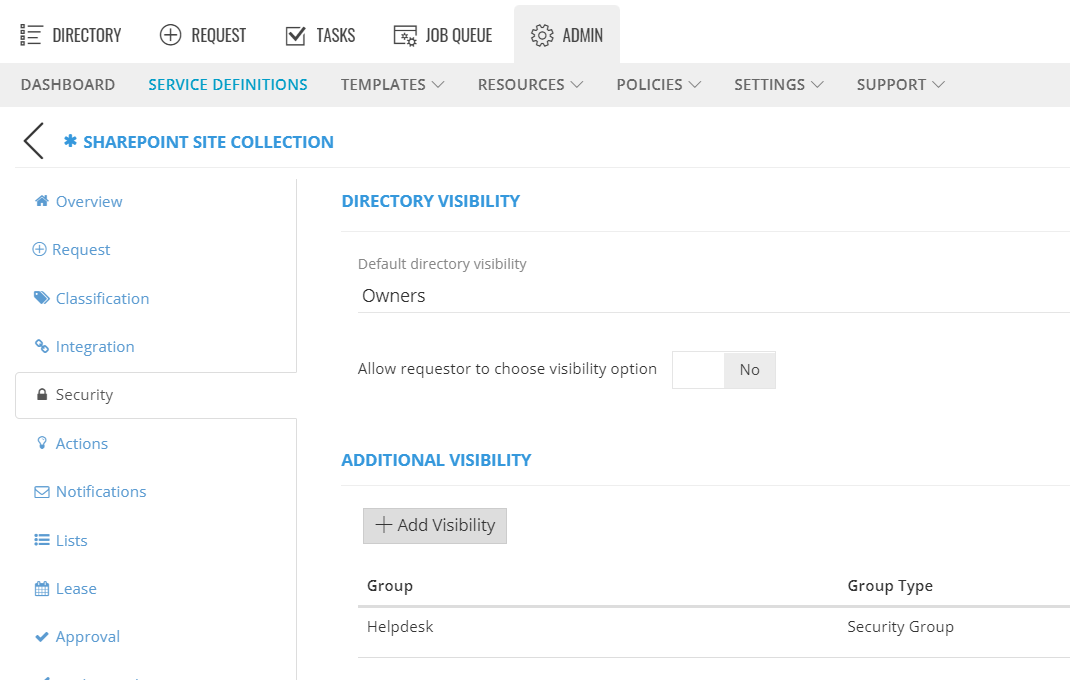
- Select the 'Default directory visibility', this will be shown on your request form.
- Choose whether the requestors can change this setting at request by enabling 'Allow requestor to choose visibility option'.
Do not enable this if your users will not understand the consequence, we recommend leaving this set as 'No'. - Click + Add Visibility to select any additional AD Security Groups that will also require visibility.
For example, helpdesk, IT or ProvisionPoint app managers. - Save the Service Definition.
Once the service is created, if you cannot see it, you may not have permission, ask the Owner to check the Info page for this option.
NOTE: If you are using a Service account for group operations this will also be added as an owner and can check.
If you are planning to get information using the API, ensure the API security group also has additional visibility
Once the Directory Visibility has been set it can be changed using
Actions, lifecycle actions or via the
API.